January 7, 2025
LinkedIn Video Marketing: Strategies, Best Practices, and How to Extend Your Reach
X minute de lecture

Une infrastructure sociale qui évolue avec vous.
Commencez votre essai gratuit ou laissez-nous vous montrer la plateforme en action.
LinkedIn held out longer than most platforms, but video has arrived in full. Video content now ranks in the top three most engaging formats on LinkedIn, with average engagement rates of 6.00% and up to 6.70% for accounts with fewer than 5,000 followers. For B2B marketers, that's a meaningful shift worth noting.
This guide covers the types of LinkedIn video content that work, best practices for each, how to approach LinkedIn video ads for B2B marketing, and how to extend the reach of your LinkedIn videos beyond the platform itself.
Why LinkedIn Video Performs
Before exploring tactics, it helps to understand why LinkedIn's algorithm currently favors video.
LinkedIn wants users to stay on the platform. Native video, uploaded directly to LinkedIn rather than shared as an external link, is preferred because it keeps users in-feed rather than sending them to YouTube or another site. Native LinkedIn video uploads bring 38% more engagement than sharing an external video link.
Video also benefits from dwell time, a signal LinkedIn's algorithm uses to measure how long someone pauses on a post. A video gives people a reason to stay, which pushes the content to a wider audience.
62% of B2B buyers trust LinkedIn video content, making the platform especially useful for building credibility with professional audiences evaluating vendors and service providers.
Types of LinkedIn Videos That Work
Employee-Generated Content
Employee content regularly outperforms brand-produced content on LinkedIn. A sales rep sharing a genuine insight about a customer challenge will always feel more credible than a polished corporate post.
The reason is simple: employees have their own networks, and their followers trust their perspective. Individual content feels native to the feed in a way that company page posts don't.
Brands that do this well give employees a brief and let them find their own voice, rather than scripting every video. The authenticity is what performs.
What works:
- Individual employees sharing their perspective on industry challenges
- Team members explaining how they approach their work
- Honest commentary on trends or news in your sector
LinkedIn Live
LinkedIn Live streams generate seven times the reactions and twenty-four times the comments compared to regular video posts. The format rewards consistency: a regular live session builds expectation and a returning audience in a way that one-off posts can't.
You don't need to host your own live to benefit from the format. Appearing as a guest on someone else's LinkedIn Live puts you in front of an established audience and gives you repurposable content afterward.
What works:
- Weekly or fortnightly Q&A sessions on a specific topic
- Panel discussions with industry peers or customers
- Product walkthroughs or feature announcements
- Guest appearances on established LinkedIn Live shows in your niche
Educational and Tutorial Content
LinkedIn users are in a professional mindset when they open the app. They're open to learning and will sit with longer content if it's genuinely useful. Research shows that 2-minute videos drive the highest engagement rates, while 3-minute videos perform best for views.
Educational videos work because they lead with value. Instead of leading with your product, you teach something relevant to your audience's work, and you demonstrate your knowledge in the process.
What works:
- Step-by-step tutorials using your product or methodology
- Explanations of industry concepts your audience encounters regularly
- Evidence-based insights from your own research
- Useful tips that your audience can apply immediately
Behind-the-Scenes Content
Behind-the-scenes videos work because they make brands human. People are naturally curious about how companies operate, what goes into building products, and who makes up the team. This content creates trust without feeling like marketing.
It doesn't need production values. A short video of the team running a planning session, a sneak peek at an upcoming feature, or a candid look at how something gets made performs well precisely because it looks real.
What works:
- Team moments and office culture
- Process videos showing how work gets done
- Product development updates and feature teasers
- Company milestones and celebrations
Repurposed Content from Webinars, Events, and Podcasts
Every webinar, conference talk, or podcast episode your team produces contains multiple short LinkedIn videos. Pulling a two-minute clip from an hour-long webinar takes minimal effort and reaches an audience that would never have watched the full recording.
The crucial part is finding the most standalone moments: a specific insight, a counterintuitive take, or a useful tip that works out of context. Add captions and a short text intro that gives the clip context, and it becomes native content rather than a promo for the longer thing.
What works:
- Key insights extracted from webinars and panel discussions
- Short clips from podcast episodes featuring your team
- Highlights from conference presentations or keynotes
- Customer testimonial moments pulled from longer case study interviews
LinkedIn Video Best Practices
Upload Natively
Sharing a YouTube link instead of uploading directly to LinkedIn costs you engagement. LinkedIn's algorithm consistently deprioritizes external links in favor of native content. Upload the video file directly to LinkedIn every time.
Optimize for Sound-Off Viewing
A significant portion of LinkedIn users scroll without sound. Add captions to every video. Beyond accessibility, captions also help your message land with viewers who are in meetings, commuting, or working in an open office.
Hook in the First Three Seconds
LinkedIn videos autoplay in-feed, but users scroll fast. The opening frame and first few seconds of audio need to give people a reason to stop. A specific question, a bold statement, or a clear preview of what they'll learn works better than a logo animation or slow introduction.
Post Consistently
Frequency matters on LinkedIn. Practitioners commonly cite three to four videos per week, but what matters more than hitting a number is not disappearing for weeks at a time. Consistency keeps you in the algorithm and builds the habit in your audience.
Square and Vertical Formats for Mobile
57% of LinkedIn users access the platform on mobile devices. Square (1:1) and vertical (9:16) formats take up more screen space on a phone than horizontal (16:9), which means more visual presence in the feed. LinkedIn now has a dedicated vertical video tab, making 9:16 content worth testing specifically.
LinkedIn Video Ads for B2B Marketing
Organic video builds audience and trust over time. Paid LinkedIn video ads give you the targeting precision to put content in front of a specific audience: by job title, seniority, company size, industry, and more.
LinkedIn video ads hold attention three times longer than static ads. Video ads can increase conversion rates by up to 30%. For B2B campaigns where you're targeting a defined buyer persona, that combination of attention and conversion lift is worth the higher CPM compared to other platforms.
What Makes LinkedIn Video Ads Work for B2B
Lead with value, not product. The best-performing LinkedIn video ads feel educational first. They address a problem the audience recognizes before introducing a solution. A product pitch dressed up as a video is easy to scroll past.
Match the ad to the funnel stage. Top-of-funnel video ads should focus on awareness and establishing a problem. Mid-funnel ads can introduce your approach or methodology. Bottom-of-funnel ads can be more direct with case studies, demos, or specific CTAs.
Use employee voices. Employee-generated content that performs organically also works as ad creative. These videos don't trigger the immediate "this is an ad" response, which can lead to longer watch time and higher engagement.
Keep it short for paid. For paid video ads, shorter tends to outperform. Under 30 seconds for brand awareness campaigns, under 60 seconds for consideration. Save the longer educational formats for organic content where your audience has already opted in by following you.
Test formats. Square and vertical formats typically outperform horizontal in mobile feeds where most LinkedIn users are. Test different lengths, hooks, and CTAs prior to scaling spend.
How to Display LinkedIn Video Content Beyond the Platform
Creating strong LinkedIn video content takes time. Most of it stays on LinkedIn, seen only by people who already follow you or who the algorithm serves it to. Displaying that content on your website, digital screens, and at events extends its reach without any additional production effort.
On Your Website
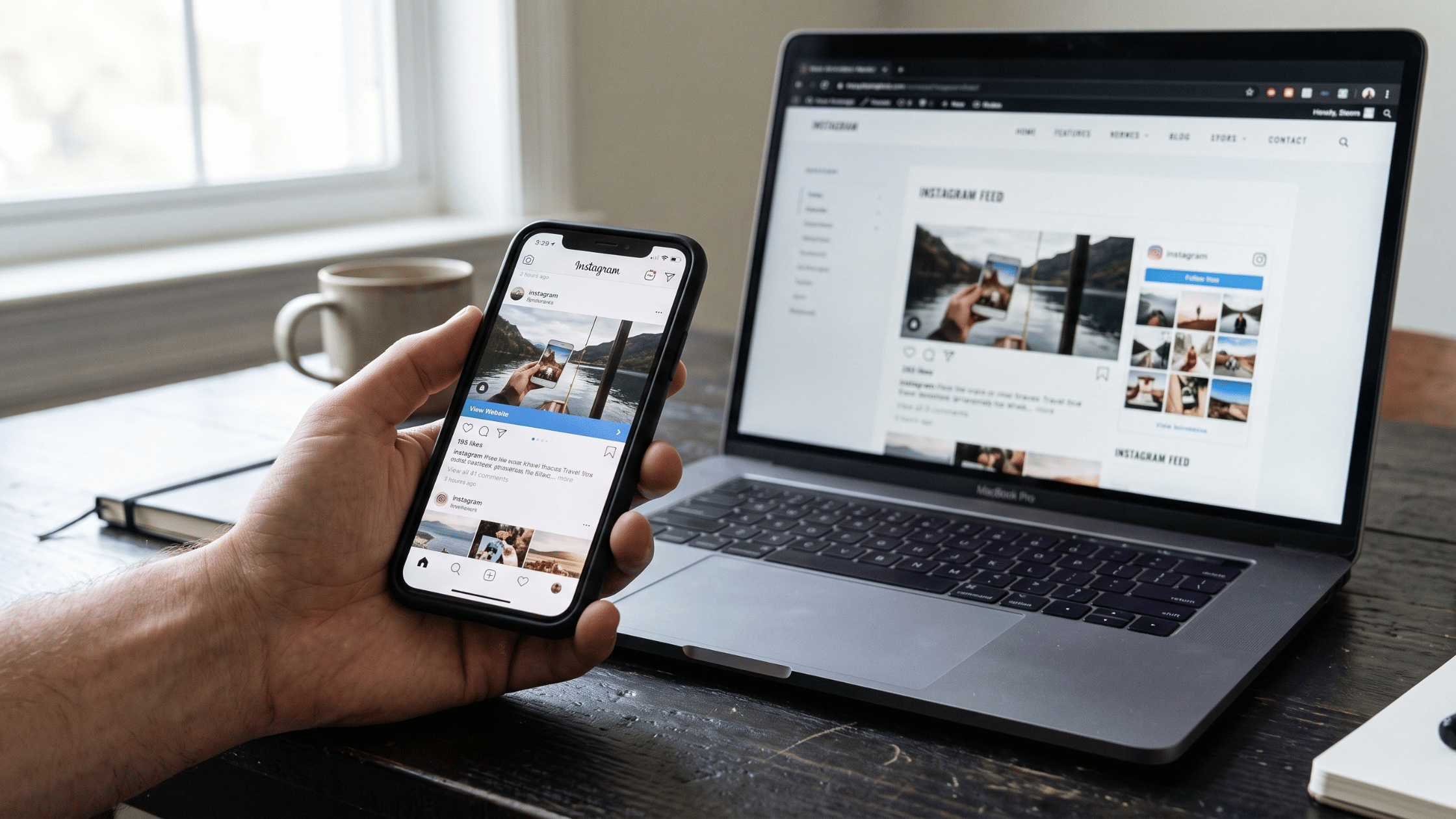
Embedding a live LinkedIn feed on your website keeps your pages current with your latest thought leadership content and gives visitors a window into your company's professional activity.
With Flockler's LinkedIn widget, you can connect your LinkedIn Company Page and display your posts and videos in a Wall, Grid, Carousel, or Slideshow layout on any page. The feed updates automatically as new posts go live.
Practical applications:
- Homepage: A LinkedIn feed showing recent company posts and videos gives visitors a sense of your brand's expertise and activity before they read anything else on the site
- About or team pages: Employee posts and video content add a human dimension to pages that might otherwise feel static
- Industry or solution pages: Relevant LinkedIn content from your company alongside page copy provides supporting evidence for the claims you're making
You can also manually add posts from any public LinkedIn profile by pasting the URL into Flockler. This is useful for featuring employee advocacy content, partner posts, or industry thought leaders alongside your company page feed.
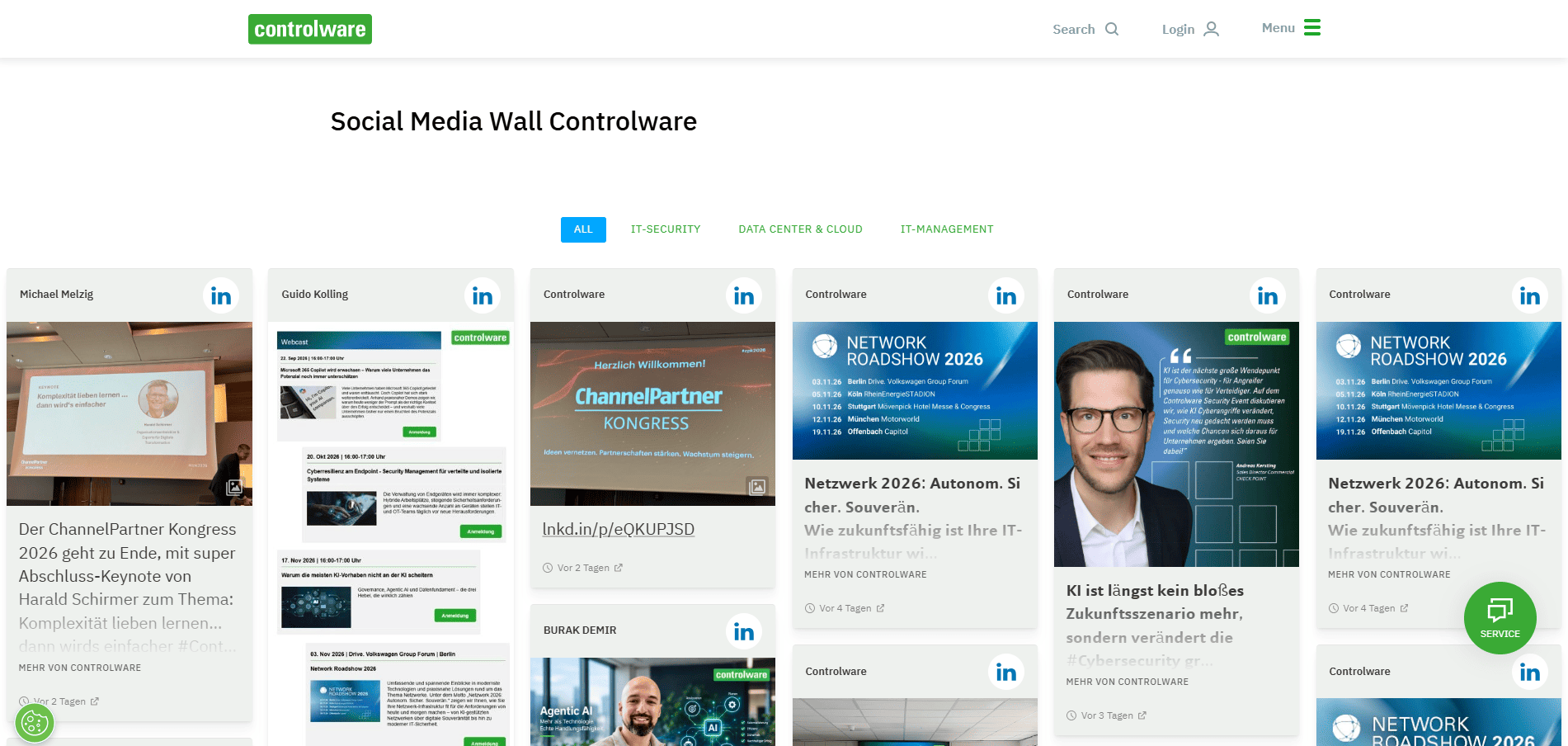
Important: Automated feeds in Flockler work for LinkedIn Company Pages you administer. LinkedIn's terms do not currently allow automated hashtag feeds or automated pulls from personal profiles you don't administer. You can add content from profiles you don't manage manually via URL.
On Digital Screens and in Office Spaces
A LinkedIn feed on a lobby screen, in a meeting room, or across office displays keeps content visible to employees and visitors without any manual updates. It's a practical way to show off thought leadership content, company announcements, and team posts in a physical space.
Flockler provides a browser URL for each display, which you can open on any screen connected to a browser. The Slideshow layout is designed for this use case, cycling through posts automatically and displaying legibly from a distance.
Flockler's digital signage use case page covers this in more detail.
At Events and Conferences
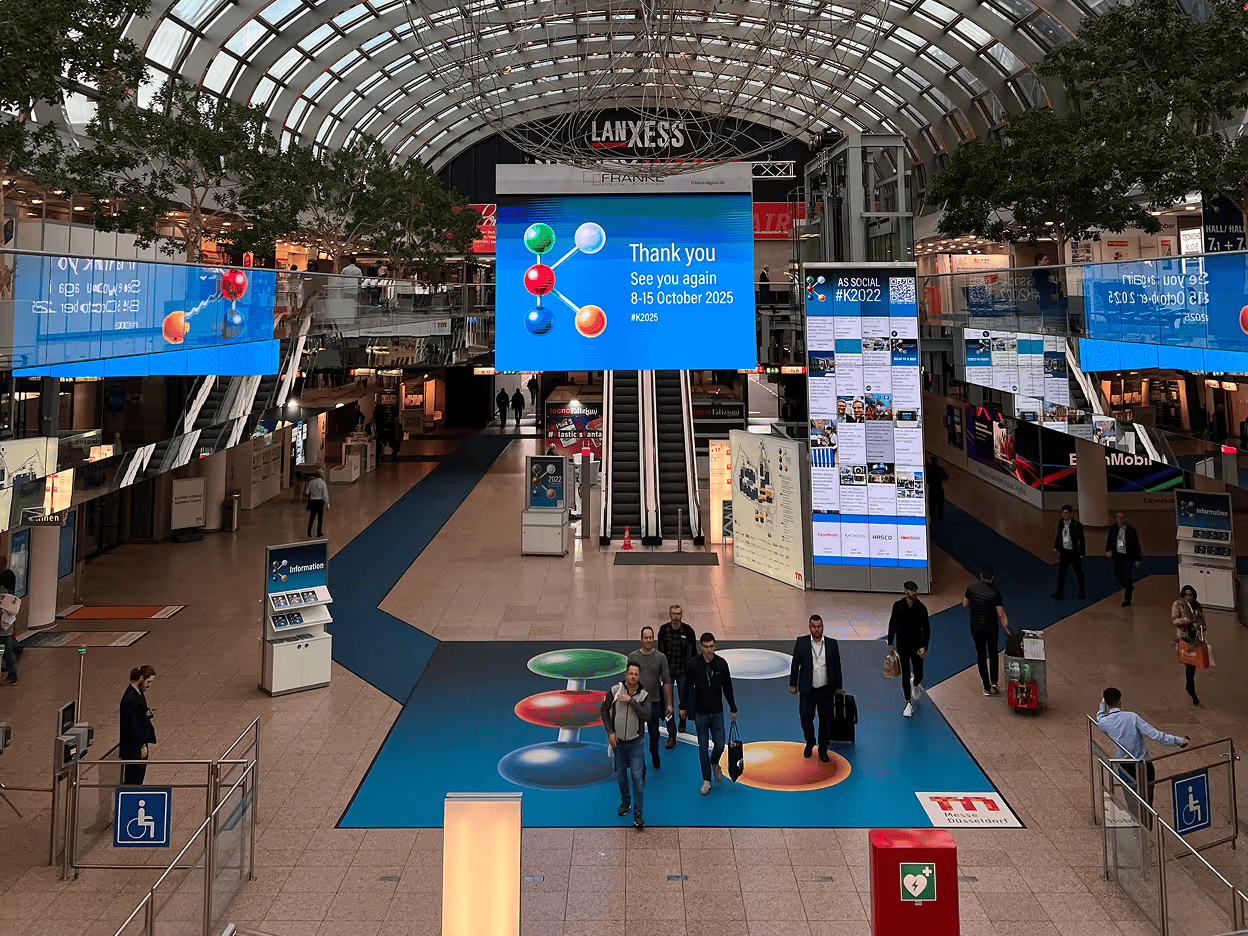
LinkedIn is one of the most active platforms during industry events. Attendees post updates, speakers share insights, and companies announce news. Displaying a live LinkedIn feed on event screens gives that content a physical presence at the venue.
For conferences and trade shows, showing a feed of LinkedIn posts from your company page during the event puts your thought leadership in front of attendees who may not follow you. It also gives your team something to post towards, knowing their content might appear on the main display.
On Intranets
LinkedIn content is especially well-suited to internal audiences. Employee posts, leadership updates, and industry news from your company page displayed on an intranet keep employees connected to the company's public presence and give internal teams visibility into what's being said externally.
Flockler supports intranet integration, so you can embed LinkedIn feeds in SharePoint, Confluence, and other internal platforms alongside other social channels.
Measuring LinkedIn Video Performance
LinkedIn's native analytics deliver view counts, engagement data, and viewer demographics at the post level. For a more complete picture across your LinkedIn content and for competitor comparisons, Flockler's social media analytics add-on brings performance data into one place.
Key metrics to track:
- Views and view-through rate: Are people watching the whole video or dropping off early? A high view count with a low view-through rate suggests the hook is working, but the content isn't holding attention.
- Engagement rate: Likes, comments, and shares relative to reach. Comments and shares are more important than likes as signals of real engagement.
- Follower gain from video: Are video posts driving more follows than other content types?
- Click-through rate on CTAs: For videos with a link or call to action, how many viewers are following through?
For paid campaigns, add cost per view, cost per lead, and revenue attributed to video traffic to your reporting.
FAQs
What is the best length for a LinkedIn video?
For engagement, around 2 minutes performs best. For views, 3 minutes tends to outperform. For paid video ads, shorter works better: under 30 seconds for awareness, under 60 seconds for consideration campaigns. The right length also depends on the content: if it's genuinely useful, people will watch longer.
Should I upload videos natively to LinkedIn or share a YouTube link?
Always upload natively. Native video brings 38% more engagement than an external link. LinkedIn's algorithm prefers content that keeps users on the platform, and an external link works against that.
What video format works best on LinkedIn?
Square (1:1) and vertical (9:16) formats perform better on mobile, where 57% of LinkedIn users access the platform. LinkedIn also has a dedicated vertical video tab, making 9:16 worth testing. Horizontal (16:9) still works for desktop-first content, but square is the safest all-around format.
Can I automate a LinkedIn hashtag feed with Flockler?
No. LinkedIn's terms do not currently allow automated hashtag feeds. Automated feeds in Flockler work for Company Pages you administer. You can manually add any public post from any LinkedIn profile or page by pasting the URL directly into Flockler.
Can I display LinkedIn video content on my website without coding?
Yes. Flockler generates an embed code you paste into any website via a Custom HTML block. No developer is required. The feed updates automatically as new posts go live on your LinkedIn Company Page.
How do I display LinkedIn videos on digital screens?
Flockler provides a browser URL for each display you create. Open that URL on any device connected to a screen, and the feed displays and updates automatically. The Slideshow layout is the most commonly used for digital screens, as it cycles through posts without requiring user interaction.
Ready to put your LinkedIn video content to work beyond the platform? Start a free 14-day trial with Flockler and display your LinkedIn feed on your website, screens, and events in minutes.
For more on embedding LinkedIn content, see our LinkedIn widget page or the guide on how to add a social media feed to your website.
Amrutha drives Flockler’s growth through research-backed storytelling and conversion-focused content with 8 years of marketing experience that unites products and outcomes. You can find her translating complex use cases into value for brands and agencies. On weekends she tackles reading challenges along with a steady diet of indie cinema.
Une infrastructure sociale qui évolue avec vous.
Commencez votre essai gratuit ou laissez-nous vous montrer la plateforme en action.