

August 30, 2024
How to Add a Live Twitter Feed on Website: Complete Guide
X minute de lecture

Une infrastructure sociale qui évolue avec vous.
Commencez votre essai gratuit ou laissez-nous vous montrer la plateforme en action.
A live Twitter feed on website pages turns static pages into something visitors actually engage with. For bigger companies (like enterprises), that means moving past the default X embed widget. Marketing, comms, and brand teams need feeds that update automatically, filter out off-brand posts, match design systems, and embed across hundreds of pages without breaking. They also need the same setup to work across event screens, product pages, intranets, and investor relations sites simultaneously. The shift makes sense given how much weight social content now carries in buying decisions. Already, 90% of consumers use social media to keep up with trends and cultural moments, ahead of TV and every other digital channel.
This article covers what a live Twitter feed actually does at scale, what to look for in a feed tool, current X API limits to plan around, and how Flockler handles the embed, moderation, and display aspects of the workflow. You will also find use cases and a four-step setup walkthrough at the end.
What a Live Twitter Feed on a Website Looks Like
A live Twitter feed on website pages is a real-time display of X posts pulled from chosen accounts or hashtags. The feed updates automatically as new posts go live and shows them inside your own page layout.
Most businesses use one of three feed types:
- Account feeds that show posts from one or more company X handles
- Hashtag feeds that aggregate posts using a specific campaign or event hashtag
- Combined feeds that pull from multiple accounts and hashtags into a single display
The feed is placed on your website (usually with the help of a Twitter (X) widget), like any other section. Visitors can see it without leaving the page or logging into X. For enterprises or agencies running events, product launches, or always-on social campaigns, this turns the website into a live extension of their social channel.
Why the Native X Embed Falls Short?
If you didn’t already know, X provides a free widget tool at publish.x.com that generates basic embed code. It works for a single timeline on a small website. It does not work well for enterprise teams who need control over what appears, where it appears, and how it looks.
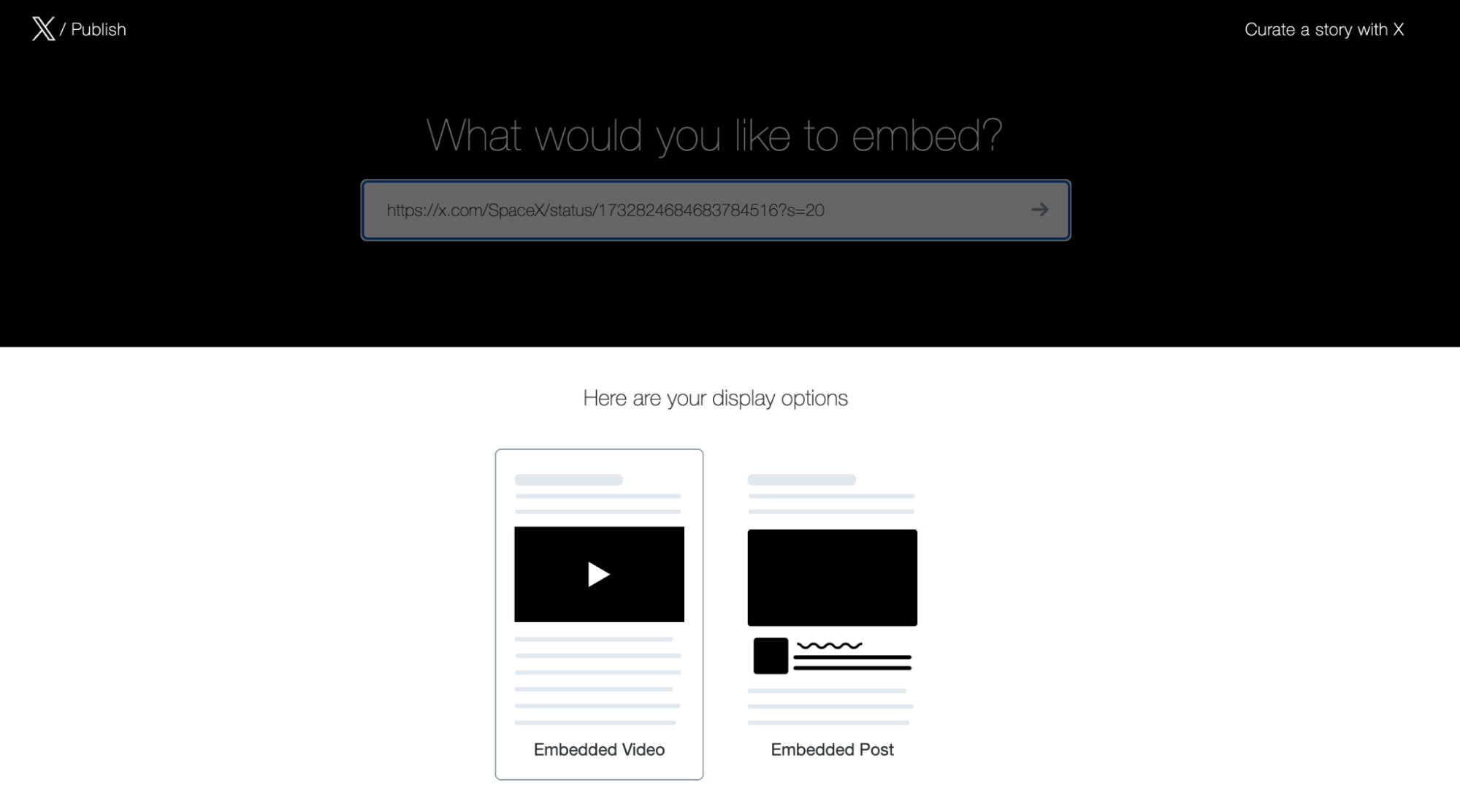
The main gaps in this Twitter widget tool are:
- No content control: Anything posted to the chosen account or hashtag goes live on the site. There is no way to block specific keywords, hide spam, or moderate posts before they appear.
- Limited design flexibility: The native widget uses X's default styling. You cannot match your brand colors, fonts, or grid system without custom CSS workarounds.
- No multi-site scale: Each embed is tied to one source. Running the same feed across 20 brand pages, event sites, and intranet sections means managing 20 separate widgets.
- Hashtag history limits: X's public hashtag search returns content from the past 7 days. Older posts disappear from the feed.
- API restrictions: Since the API pricing changes in 2023, many third-party tools have lost access to high-frequency Twitter polling. Native embeds work, but most aggregator workflows now rely on stored content.
For an enterprise, these constraints affect campaign continuity, brand safety, and the ability to run feeds across digital screens, websites, and apps from a single platform. This is also why most teams researching how to embed a live Twitter feed on their website end up looking beyond the native tool within their first week of testing.
What Enterprises Should Look for in a Twitter Live Feed Tool
A Twitter live feed on a website set up at enterprise scale needs more than embed code. These are the features that matter most when evaluating a tool.
Persistent Hashtag Storage
X limits public hashtag history to seven days. Any tool that does not store collected posts locally will lose campaign content after a week. Look for a platform that stores all collected hashtag content permanently in your account so you can keep displaying it long after X drops it from public search.
Moderation and Brand Safety Controls
Enterprise feeds reach large audiences. One off-brand or inappropriate post on a homepage feed can create reputational risk. The right tool gives you:
- Keyword and username blocklists
- Manual review queues for hashtag campaigns
- Automated AI moderation that filters spam and off-brand content
- The option to auto-publish brand-owned content while reviewing UGC
Flockler's Garde AI, available on Business plans and above, handles automated moderation across X feeds and other social sources.
Multi-Site and Multi-Layout Support
A single Flockler subscription should let you embed the same feed across multiple websites, intranets, and digital screens without per-page or per-view charges. This matters most for large organizations that run brand sites, regional microsites, and event pages under a single license.
Custom Layouts That Match Design Systems
Enterprise sites have strict design systems. The feed should let you choose layouts like walls, grids, carousels, or slideshows, customize colors and spacing, and apply different layouts on desktop versus mobile. Custom CSS support is useful for teams that need pixel-level control.
API Access for Custom Front-Ends
Marketing and digital teams with in-house developers often need to feed data served directly into a custom front-end build, headless CMS, or mobile app. Look for tools that offer a Content API so your engineers can pull moderated posts into any environment. Flockler's API is available on Premium and Agency plans.
Compliance and Data Handling
For enterprises in the EU or working with EU customers, GDPR compliance is required. Check for available DPAs, subprocessor lists, and accessibility features, such as AI-generated alt text for images.
Current X API Limits to Plan Around
X tightened API access and pricing in 2023. Most social aggregation tools now work around this with a few common patterns. Three points matter for enterprises planning a live feed setup:
- Update frequency is lower than before: X feeds typically refresh twice per day under standard rate limits. Other platforms in most aggregator tools refresh every few minutes. This affects how "live" a Twitter live feed on website pages feels in practice.
- Hashtag history is capped at seven days. Aggregator tools that store posts locally are the only way to keep older content in rotation.
- Higher refresh rates require event add-ons. For conferences, sports events, or product launches that need near-real-time updates, most tools offer event-tier upgrades. Confirm pricing and rate limits with the vendor before committing to an event campaign.
These are constraints set by X, not by any specific aggregator. Plan campaigns around them rather than expecting full minute-by-minute updates.
5 High-Value Use Cases for Enterprise Live Twitter Feeds
Live Twitter feeds work best when tied to a clear business outcome. These are the strongest use cases for a live Twitter feed on your website:
1. Festivals, Conferences, and Hashtag Walls
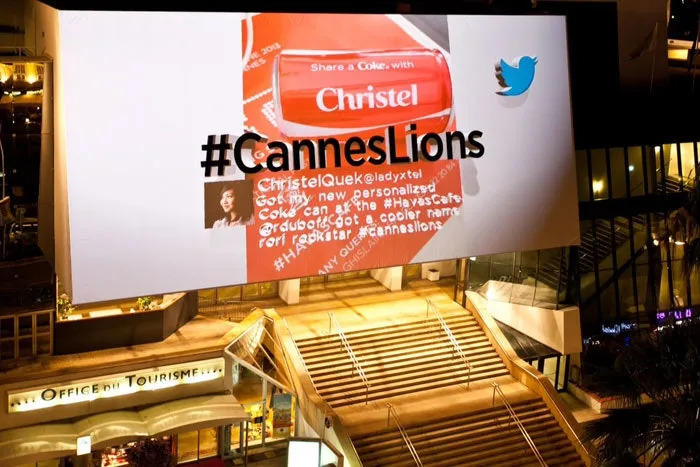
Conferences and festivals generate large volumes of hashtag content during the event. The Cannes Lions International Festival of Creativity ran a now-famous live Twitter wall projection that displayed top #CannesLions tweets on a 35-by-65-foot billboard above the venue entrance.
2. Sports Stadiums and Fan Engagement
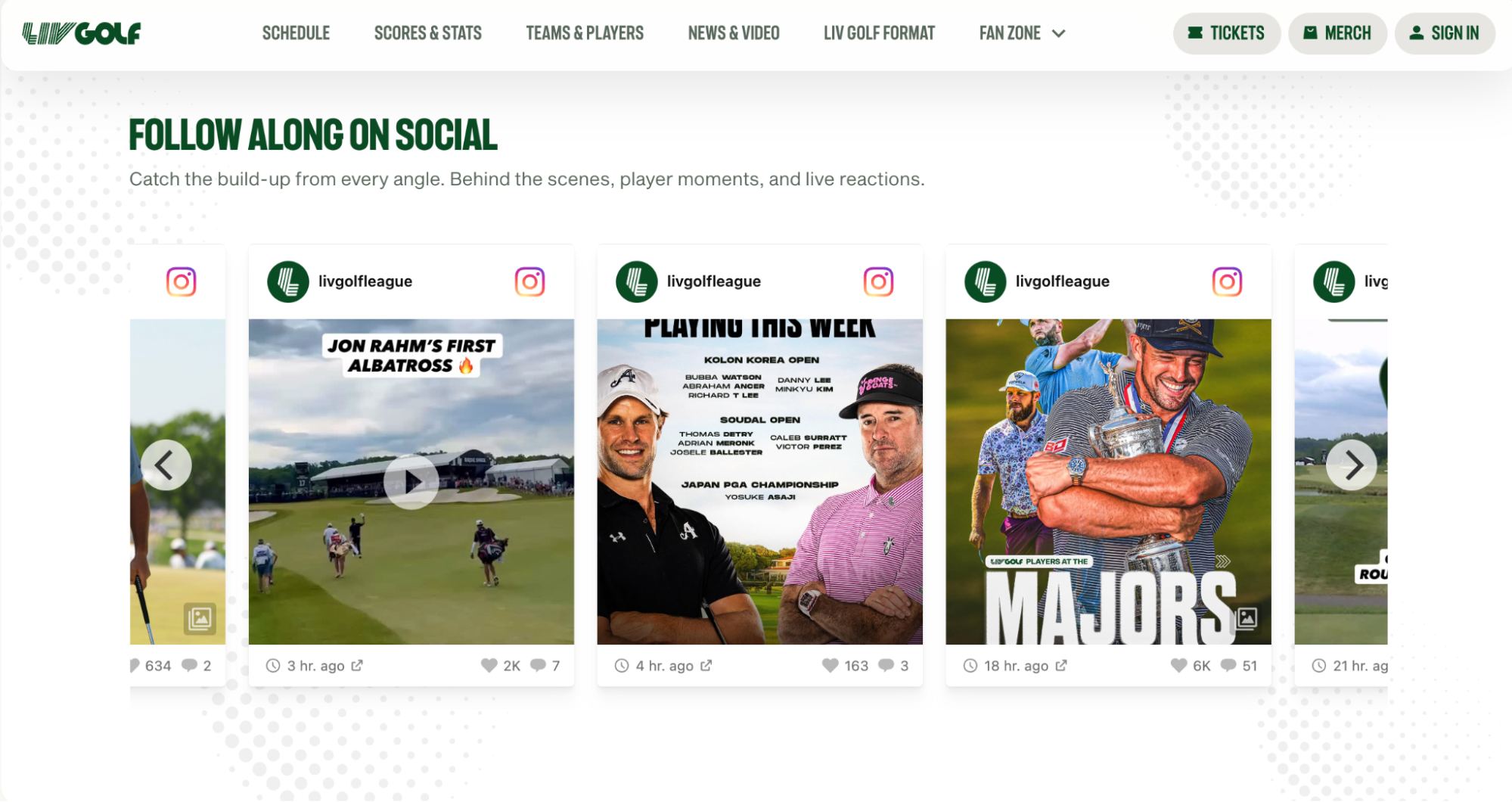
Sports teams use live feeds on team websites, in-app modules, and stadium screens. Fans tweet during games. The feed pulls those posts onto in-venue displays and the team's match-day page. Customers like LIV Golf and major leagues use social walls to display Instagram posts, and the same can be done with Twitter.
3. Media, Broadcast, and Live Show Engagement
Broadcasters use live Twitter feeds on second-screen experiences and on-air graphics. Hashtag feeds tied to a show or news event pull viewer reactions into the broadcast and the show's web page in near real time. This is one of the original use cases that pushed Twitter into mainstream live-event coverage and remains active across talk shows, sports broadcasts, and award ceremonies.
4. Internal Comms and Intranets
Large organizations display Twitter feeds from official company handles on intranet homepages and office lobby screens. The setup works well for internal recognition (employee posts from a company hashtag), industry news (curated executive accounts), and crisis communications (verified official channels only). The same Flockler subscription that powers public-facing X feeds also handles internal displays, so comms and IT teams can manage everything from one workspace.
5. Higher Education and Campus Marketing

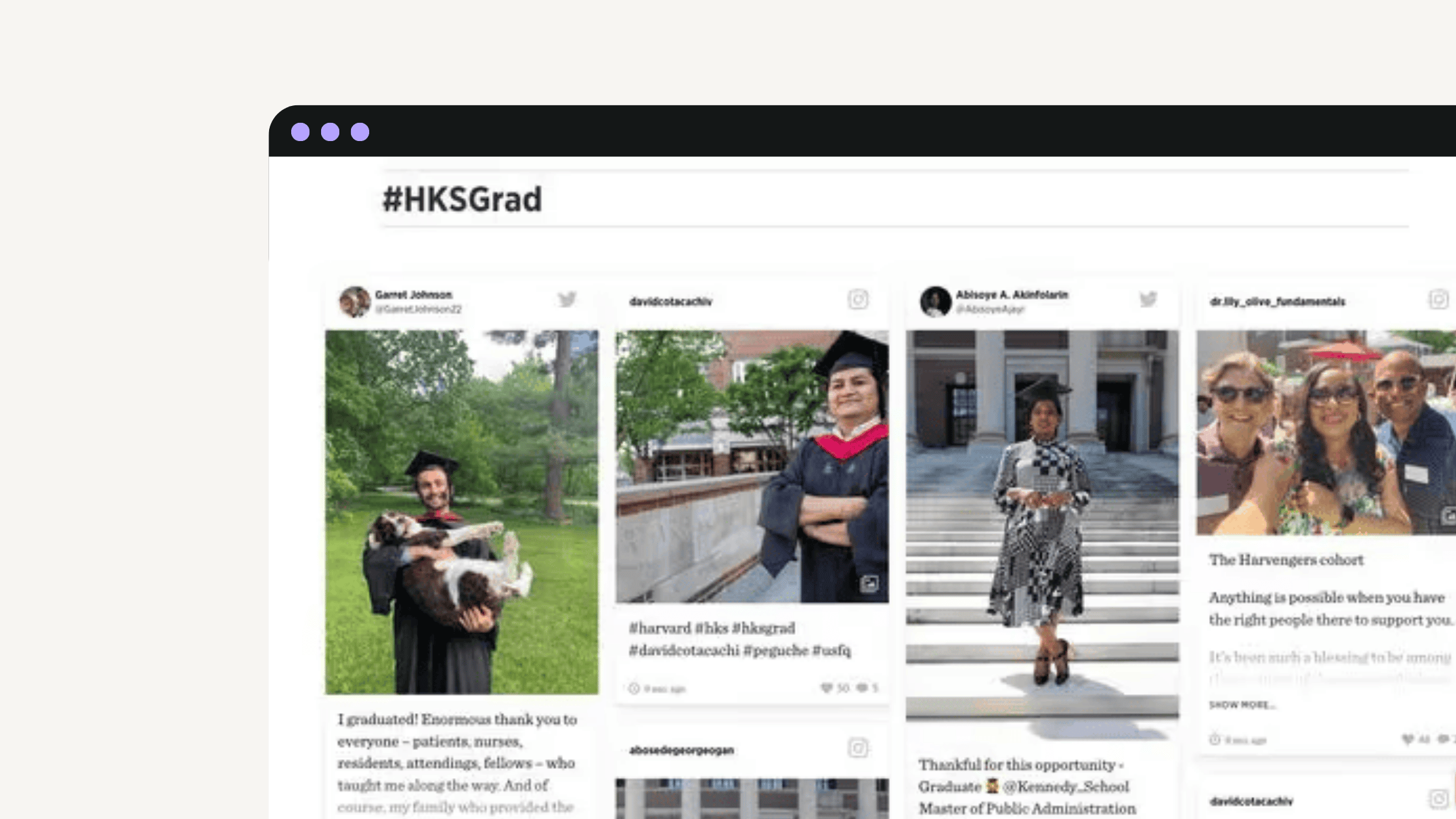
Universities run feeds on admissions pages, campus life sections, and event pages. The content shows real student voices to prospective applicants and parents. Harvard University and George Washington University use this approach across multiple digital touchpoints.
How to Embed Live Twitter Feed on Website Pages With Flockler
Setting up a Twitter live feed on website pages with Flockler takes four steps. The full setup runs in about five minutes once your account is active. This is also the answer most teams arrive at when they search for how to add a live Twitter feed to their website without a developer in the loop.
Step 1: Connect X as a Source and Define the Feed
In your Flockler dashboard, create a new section and choose X as the source. You can connect:
- One or more public X accounts
- A specific hashtag or set of hashtags
- A combination of accounts and hashtags in one feed
No X account login is required for public profiles or hashtags. Flockler starts collecting and storing posts immediately. All collected hashtag content remains in your account permanently, which solves the seven-day X limit.
Step 2: Set Moderation Rules
Decide how content reaches your site. Two main modes are available:
- Auto-publish with filters: Posts go live automatically after passing keyword blocklists and Garde AI moderation. This works well for brand-owned account feeds and trusted hashtags.
- Editor mode: All posts land in a review queue. A team member approves them before they appear on the live feed. This is the standard for UGC hashtag campaigns where content is unpredictable.
You can also block specific usernames, set keyword blocklists, and use Garde AI to filter spam and off-brand content automatically.
Step 3: Design the Feed Layout
Choose from four layout types:
- Wall for event pages and campaign hubs
- Grid for product pages and content-heavy sections
- Carousel for homepages with limited vertical space
- Slideshow for digital screens, lobbies, and stadium displays
Each layout is customizable. Change colors, fonts, spacing, post density, and the number of posts shown. Set different layouts for mobile and desktop using the same feed source. Teams that need full design control can apply custom CSS.
Step 4: Embed the Feed Code
Flockler generates an embed code that works on any website builder, including WordPress, Shopify, Squarespace, Webflow, and custom HTML sites. Paste the code into your page template or CMS block. The feed is live.
For digital screens, Flockler provides a URL that displays the feed full-screen in any browser. For custom front-end builds, the Content API lets developers pull moderated post data directly into headless setups, apps, and intranets. This covers most real-world questions about how to embed a live Twitter feed on your website without locking the work to a single CMS or team.
Common Mistakes Enterprises Make With Live Twitter Feeds
A few patterns come up repeatedly. Avoiding them saves time and protects the feed's value over time.
- Using one feed everywhere: A homepage feed and a product page feed should not show the same content. Build separate feeds with different filters for each placement.
- Skipping moderation on hashtag campaigns: UGC feeds without moderation pull in spam, competitor content, and off-brand posts. Always set moderation before launch.
- Ignoring the X update frequency: Twice-daily refresh under standard rate limits is fine for evergreen pages. Event campaigns need faster refresh tiers, which typically require an event add-on.
- Treating the feed as a one-time setup: Track engagement on feed-embedded pages. Adjust sources, filters, and layouts based on what performs.
Pricing Context for Buyers
Flockler's standard plans, billed annually, are:
- Basic: $110/month with 8 feeds
- Business: $195/month with 15 feeds (includes Garde AI)
- Pro: $325/month with 30 feeds
- Premium and Agency: Custom pricing with Content API access
All plans include unlimited layouts, page views, users, and websites. There is also a 14-day free trial with no credit card required, though the Content API is not included. For enterprise procurement with custom SLA, data residency, or volume requirements, contact Flockler's enterprise team.
Start Embedding Live X Content Across Your Sites
A live Twitter feed on website pages is most useful when it spans multiple touchpoints from a single source. The setup itself takes minutes. The harder work is deciding what to display, where to display it, and how to moderate it at scale.
Start with one high-traffic page or one upcoming event. Build the feed, set moderation rules, and measure how it changes engagement. Once the workflow is proven, scale it across the rest of the digital ecosystem.
Start a 14-day free trial of Flockler to test the embed, moderation, and layout flow on a real page before committing.
FAQs
How to Add a Live Twitter Feed to a Website?
Use a social aggregation tool like Flockler. Connect your X accounts or hashtags as sources, set moderation rules, choose a layout, and paste the generated embed code into your website's HTML or CMS block. The feed updates automatically within X's rate limits. This is the standard path for anyone working out how to add a live Twitter feed to your website without ongoing developer support.
Is it Possible to Embed a Twitter Feed for Free?
X's native publishing tool offers free basic embeds, but it lacks moderation, custom layouts, and persistent hashtag storage. Free third-party tools usually limit feeds, branding, and update frequency. Most enterprises move to a paid plan once they need brand control and multi-site embeds.
How Often Does a Live Twitter Feed Update?
X API rate limits mean most aggregator tools refresh Twitter feeds about twice per day. Other platforms in most tools refresh every few minutes. Event-grade refresh rates usually require an event add-on.
Does Flockler Store Hashtag Content Beyond X's Seven-Day Limit?
Yes. Flockler stores all collected posts permanently in your account, even after X removes them from public hashtag search.
Can Developers Pull Twitter Feed Data Into a Custom Front-End?
Yes. Flockler's Content API lets developers pull moderated post data into custom websites, headless CMS setups, and mobile apps. It is available on Premium and Agency plans.
How Do I Embed a Live Twitter Feed on My Website Without Coding?
The easiest way to embed is to use a Twitter widget from a social media aggregator tool. Generate an embed code from your aggregator and paste it into your website builder. Tools like Flockler provide a code snippet that works in WordPress, Shopify, Squarespace, Webflow, and any platform that accepts custom HTML, with no developer required.
A true growth operator with extensive experience across crowdsourcing, affiliate programs, and social media aggregation. Brooke is the CEO if Flockler and cofounder of the marketing agency Northweather and has worked with global brands including LEGO. With international experience spanning SaaS, marketing, and product, she brings sharp expertise in strategy, execution, and driving results through global cross-functional teams.
Une infrastructure sociale qui évolue avec vous.
Commencez votre essai gratuit ou laissez-nous vous montrer la plateforme en action.



