

March 3, 2026
Custom Social Media Feed API: How to Build the Exact Feed You Need
X Minute gelesen


Soziale Infrastruktur, die mit Ihnen skaliert.
Starten Sie Ihre kostenlose Testversion oder lassen Sie sich von uns die Plattform in Aktion zeigen.
Every brand with an active social media presence eventually faces the same question: how do you get that content off social platforms and onto your own website, app, or digital screen?
A custom social media feed API solves this problem. It gives developers and marketing teams the tools to pull social content from multiple platforms, filter it, and display it anywhere. The result is a custom feed that fits your brand, your layout, and your audience.
We’ll cover what a custom social media feed API is, why building one from scratch is harder than expected, and how to implement one using Flockler's Content API.
Growing Demand for Custom Social Feeds
Social media content is no longer confined to social platforms. Brands now treat it as a core content asset across their digital presence.
According to a Stackla (now Nosto) survey, 79% of consumers say user-generated content strongly influences their purchasing decisions. That stat drives a clear business need: get real social content in front of buyers at the point of decision, whether that's a product page, checkout flow, or in-store screen.
Here is what makes custom social feeds important for brands:
- Consumers trust UGC more than brand content: Real photos and reviews from other customers carry more weight than studio-shot product images. In fact, consumers are 9.8x more likely to find UGC impactful compared to influencer content.
- Social proof increases conversions: Displaying real customer posts on landing pages and product pages gives hesitant buyers the confidence to act. Research shows that posts featuring UGC achieved 10.38x higher conversion rates than non-UGC posts.
- Content teams are stretched thin: Repurposing social content across websites, apps, emails, and signage reduces the need to create new assets from scratch.
- Events need real-time content: Conferences, product launches, and campaigns rely on live social walls to drive engagement.
A standard social media embed works for most simple use cases. Once you need filtering, moderation, custom layouts, or multi-platform aggregation, you need an API-based approach.
What Is a Custom Social Media Feed API?
Most social media aggregators collect posts from multiple platforms, let you moderate them, and give you an embed code to display a feed on your website. That works well for standard use cases, such as adding a social wall or grid to a landing page or any digital screen.
A custom social media feed API goes a step further. Instead of an embed code with a pre-built layout, it gives developers a structured JSON endpoint. Your team queries this endpoint and builds the display layer entirely from scratch.
This means you control every detail. You decide the HTML structure, the CSS, the loading behavior, the animations, and how the feed interacts with other elements on your page or app. There are no layout templates or widget constraints here.
Here's where the API approach adds value beyond a standard aggregator:
- Full front-end ownership: Your developers render the feed using your own codebase. The feed becomes a native part of your website or app, not an iframe or third-party embed.
- Integration with other systems: You can combine social feed data with product catalogs, CMS content, analytics dashboards, or internal tools. A standard embed can't do this.
- Custom filtering and logic: Query posts by tag, source, media type, or section. Build dynamic feeds that adapt to user behavior, page context, or campaign rules.
- Multi-surface deployment: Use the same API endpoint for your website, mobile app, digital signage, email templates, and event displays. Each surface gets its own custom-built layout while pulling from the same content source.
In short, a good social media aggregator handles the full pipeline for you. A custom social media feed API also handles collection and moderation, then hands off clean data for your team to build with.
Why Building Your Own Custom Feed Is Harder Than Expected
It's tempting to connect directly to Instagram's Graph API or YouTube's Data API and build everything yourself. In theory, most APIs are free and well-documented. But in practice, this approach creates high ongoing costs and headaches.
- Authentication complexity: Each platform uses its own OAuth flow. Instagram requires a Facebook App review process. X (formerly Twitter) has tiered API access with different rate limits per plan. YouTube uses API keys with quota limits. Managing authentication across five or six platforms means maintaining five or six separate token refresh cycles.
- Rate limits and quotas: Instagram's Graph API enforces strict rate limits. YouTube gives you 10,000 quota units per day by default, and each search request costs 100 units. X's free API tier is extremely limited. One misconfigured polling interval can exhaust your quota in hours.
- Data format inconsistencies: Every platform structures its response data differently. An Instagram post object looks nothing like a YouTube video object or a LinkedIn share. You'll spend considerable time normalizing these into a consistent schema.
- Ongoing maintenance: Social media APIs change frequently. Each change requires you to update your integration, test it, and redeploy.
- Moderation and compliance: If you display user-generated content, you need moderation tools. Building an approval workflow, handling NSFW filtering, and managing GDPR-related takedown requests adds another layer of development.
For teams with limited engineering bandwidth, these challenges make a strong case for using a managed solution that handles aggregation, normalization, and moderation in one place.
What to Look for in a Custom Social Media Feed API
Not all social feed APIs offer the same capabilities. When evaluating options, focus on these criteria:
- Platform coverage: The API should support the platforms your audience uses and the platforms where your brand is present. At minimum, look for Instagram, Facebook, YouTube, TikTok, X, and LinkedIn. Broader coverage (Pinterest, Bluesky, RSS, reviews) gives you more flexibility as your content strategy evolves.
- Content types: Verify that the API handles images, videos, Reels, Shorts, Stories, and text posts. Some services only support image-based content.
- Moderation and filtering: Look for built-in moderation workflows. Manual approval, keyword-based auto-moderation, and AI-powered filtering save significant time, especially for hashtag campaigns where anyone can contribute.
- API response structure: The data should be clean, well-documented, and consistent across sources. You shouldn't have to write different parsers for Instagram and YouTube content.
- Rate limits and reliability: Understand the API's own rate limits. A feed API that restricts you to 100 requests per hour may not work for high-traffic sites.
- Customization options: Some APIs offer pre-built display widgets alongside raw data access. Having both options is useful. Widgets speed up initial deployment, while raw API access enables fully custom implementations.
Flockler’s Custom Social Media Feed API
Flockler’s Content API works as an abstraction layer between your application and social media platforms. It handles content aggregation from 13+ social media sources through a single Content API.
How it works:
- You connect your social media sources in Flockler's dashboard. Sources include Instagram accounts, hashtags, TikTok profiles, YouTube channels, LinkedIn pages, Facebook pages, X accounts, Bluesky, and more.
- Flockler automatically collects and normalizes content from all connected sources into a unified format.
- You moderate content using Flockler's dashboard, including manual approval, Garde AI moderation, or keyword-based rules.
- Your application queries the Flockler Content API and receives clean, structured JSON data.
Key API capabilities:
- Filter posts by source, media type, tag, or section.
- Access normalized metadata including captions, media URLs, engagement counts, and author details.
- Create and manage feeds programmatically (bulk feed creation supported for Instagram and Facebook).
- New content is available via JSON API instantly.
Full API documentation is available at developers.flockler.com.
Pricing: Flockler offers four plans. Basic at $129/month (8 feeds), Business at $229/month (15 feeds), Pro at $379/month (30 feeds). There is also a Premium and Agency plan with custom pricing. API access is included only in the premium and agency plans. There is also a 14-day free trial.
Supported Platform Sources for Custom Feeds
Flockler connects to the following platforms for automated content aggregation:
- Instagram (Business account posts, hashtag feeds, mentions, tagged posts, and Stories from your Business account)
- Facebook (Page posts, Page mentions, and Page reviews/recommendations)
- X / Twitter (keyword/hashtag mentions, posts from any user)
- Bluesky (keyword/hashtag mentions, posts from any user)
- LinkedIn (posts from your LinkedIn Page, admin rights required)
- TikTok (videos from your own TikTok account, admin rights required)
- YouTube (public channels, playlists, and keyword/hashtag search)
- Pinterest (public pins from any user or specific boards)
- Google Reviews (reviews of a location/business you manage)
- RSS feeds (blog posts or news articles from any RSS feed)
- Flickr (latest images)
- SoundCloud (tracks from your account)
This breadth of sources lets you build a single custom feed that pulls content from your entire social media ecosystem. A hospitality brand, for example, could aggregate Instagram UGC, Google Reviews, TikTok videos, and YouTube testimonials into a single feed displayed on its booking page.
Custom Social Media Feed API Use Cases
Wondering where you can use or embed your social media feed? Here are a few common use cases.
Social Proof on Landing Pages

Display curated customer posts alongside product descriptions and CTAs. A feed showing real customers using your product builds trust faster than testimonials written by your marketing team.
Live Event Walls

Pull posts tagged with your event hashtag in real time and display them on large screens or a dedicated event page. Moderation tools ensure only appropriate content goes live.
E-commerce Product Pages

Show tagged customer photos next to specific products. Flockler also supports shoppable UGC galleries with product tagging, creating a direct path from social content to purchase.
Digital Signage

Retail stores, hotel lobbies, and corporate offices use custom feeds to display rotating social content on screens. The API delivers fresh content automatically, eliminating the need for manual updates.
Mobile Apps and Intranets
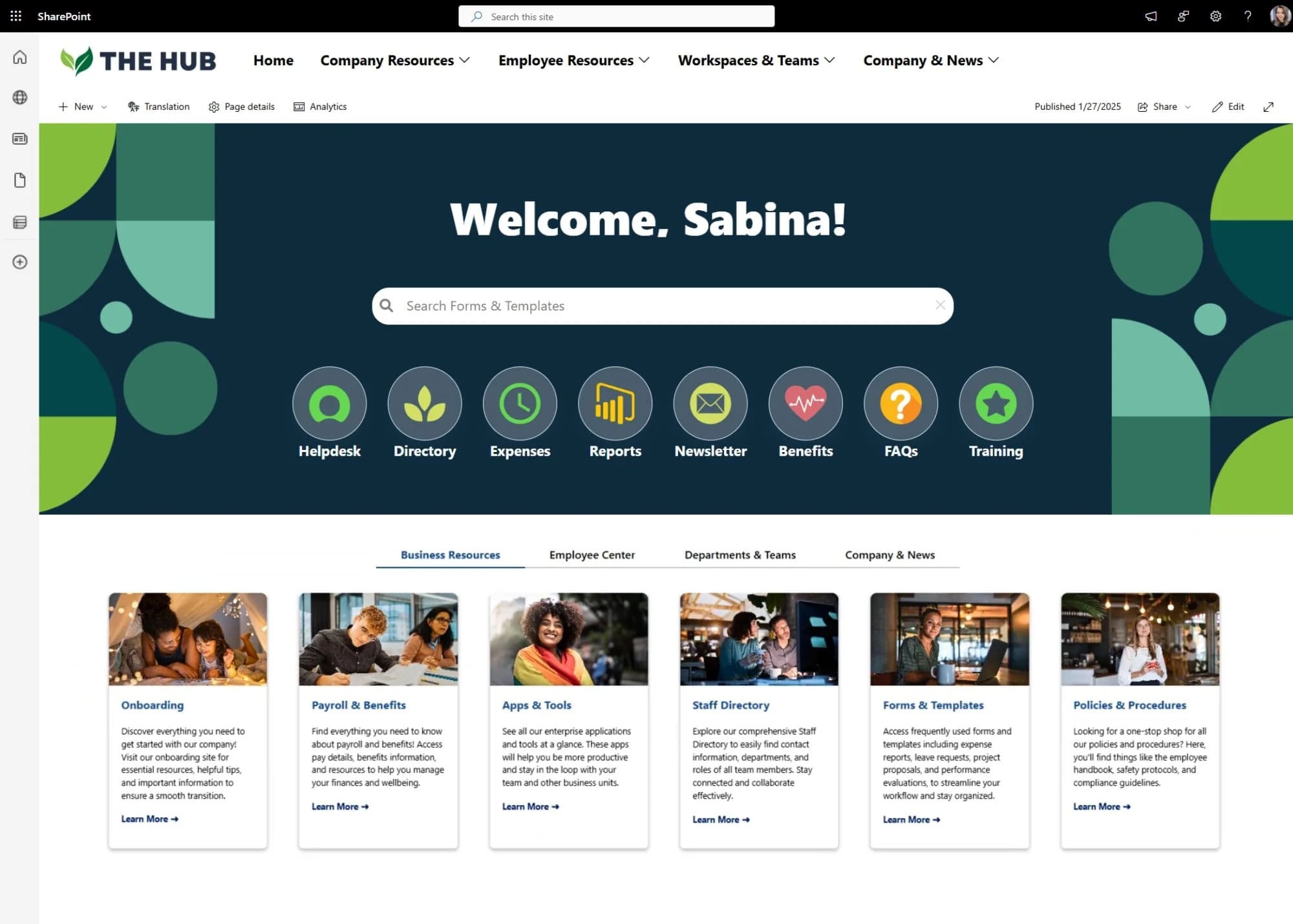
Integrate social content directly into your app's feed or corporate intranet using the API. This works well for community-driven apps, brand apps, and internal communications.
How to Set Up a Custom Social Media Feed With Flockler
Follow these steps to get started:
Step 1: Create a Flockler account. Sign up at flockler.com and start your 14-day free trial. This gives you access to all Basic plan features so you can explore the platform before committing.
Step 2: Connect your social media sources. In the Flockler dashboard, add the platforms and accounts you want to aggregate. You can add multiple sources from different platforms into a single feed.
Step 3: Configure moderation settings. Choose between automatic approval, manual approval, or AI-assisted moderation using Garde. Set keyword filters to block unwanted content.
Step 4: Choose your plan based on your needs. If you need embed codes and pre-built layouts (Wall, Grid, Carousel, Slideshow), the Basic, Business, or Pro plans cover that. If you need full Content API access for custom development, you'll need the Premium or Agency plan.

Step 5: Access the Content API (available on Premium and Agency plans). Flockler provides your site UUID and API key from the dashboard. Use these to query your curated feed via the Content API v2 endpoint and receive structured JSON data.
Step 6: Build your front-end display. Use the JSON response to render posts in your custom layout. You have full control over the HTML, CSS, and interaction logic.
Step 7: Go live and iterate. Deploy your custom feed, monitor performance, and adjust moderation rules or source settings as needed.
Flockler vs. Building a Custom Social Feed API From Scratch
When Flockler makes sense: You need a working custom feed quickly, your team has limited backend engineering capacity, or you aggregate content from multiple platforms. The cost of a subscription is often lower than the developer hours required to build and maintain direct integrations.
When building from scratch makes sense: You have a large engineering team, your requirements are highly specialized, or you need deep integration with internal systems that a third-party API can't support. You also retain full control over your infrastructure, avoiding vendor lock-in.
For most marketing and mid-sized development teams, a managed API like Flockler removes months of development work, while still providing full front-end flexibility through its Content API.
FAQs
What Is a Custom Social Media Feed API?
A custom social media feed API collects posts from multiple social platforms and delivers them as structured JSON data through a single endpoint. Developers use this data to build fully custom displays on websites, apps, digital signage, and other interfaces.
When Do You Need a Custom Social Media Feed API Instead of Embed Codes?
Embed codes and pre-built layouts work well for standard use cases, such as adding a social wall or carousel to a webpage. You need a custom social media feed API when your project requires custom layouts, integration with other systems like product catalogs or CMS platforms, or deployment across multiple surfaces like apps and digital signage from a single content source.
Which Flockler Plans Include Content API Access?
Flockler's Content API is available on the Premium and Agency plans. All other plans (Basic, Business, and Pro) include pre-built layouts and embed codes for displaying social feeds without custom development.
Can I Use Flockler's API to Feed Content Across Multiple Websites and Apps?
Yes. A single Flockler subscription supports content display across unlimited domains and surfaces. You can use the same API endpoint to serve content to your website, mobile app, digital signage, email templates, and event displays simultaneously.
A true growth operator with extensive experience across crowdsourcing, affiliate programs, and social media aggregation. Brooke is the CEO if Flockler and cofounder of the marketing agency Northweather and has worked with global brands including LEGO. With international experience spanning SaaS, marketing, and product, she brings sharp expertise in strategy, execution, and driving results through global cross-functional teams.
Soziale Infrastruktur, die mit Ihnen skaliert.
Starten Sie Ihre kostenlose Testversion oder lassen Sie sich von uns die Plattform in Aktion zeigen.



