
June 23, 2026
See Exactly Where Every Embed Lives with New Embed Visibility
X Minute gelesen

Soziale Infrastruktur, die mit Ihnen skaliert.
Starten Sie Ihre kostenlose Testversion oder lassen Sie sich von uns die Plattform in Aktion zeigen.
With Flockler, you can create an unlimited number of displays, but the more displays you run, the harder it gets to keep track of them. Feeds get embedded, pages change, and over time, you lose visibility into what's actually live and where. Embed visibility fixes that.
What Is Embed Visibility?
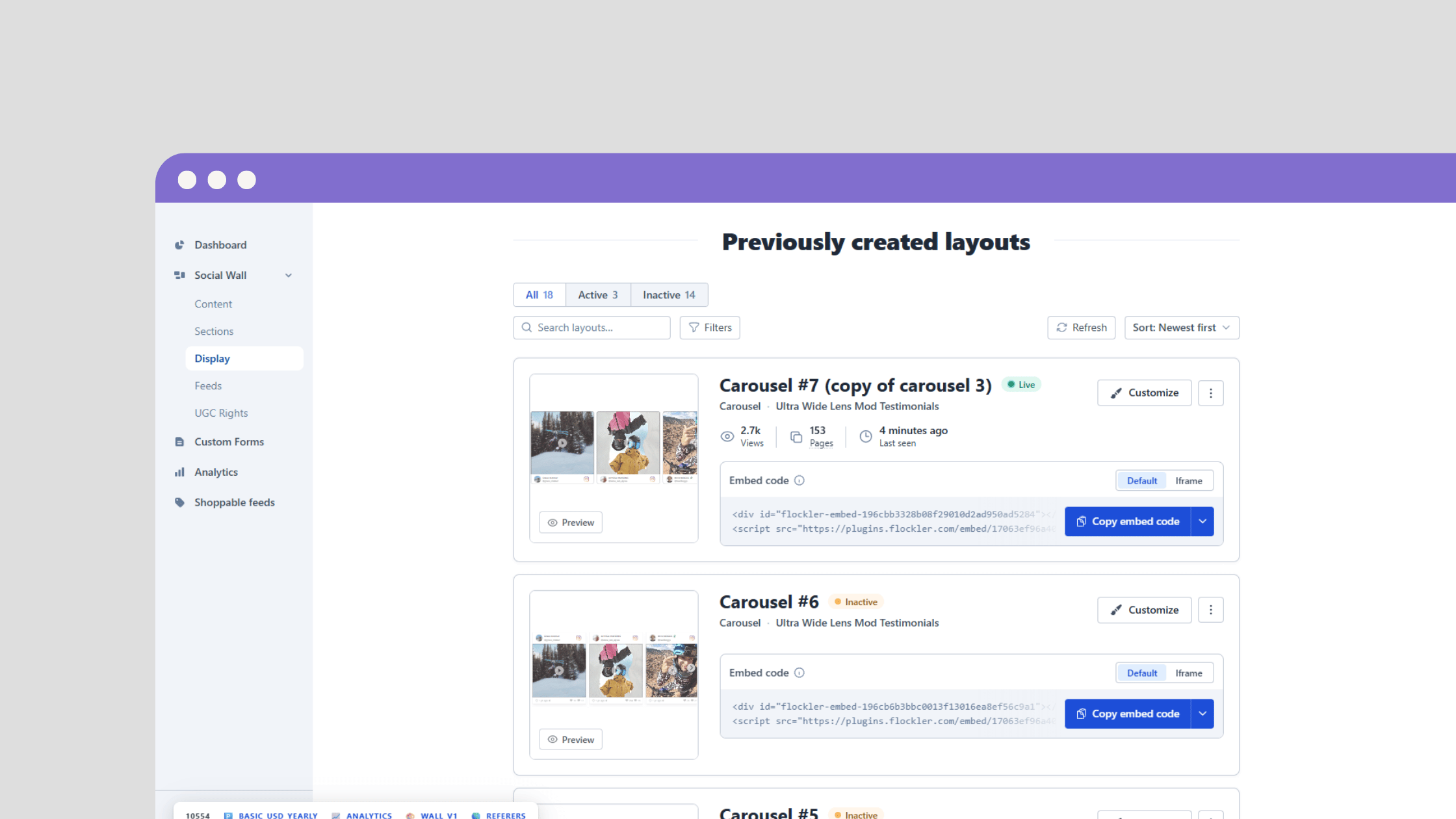
Embed visibility is now part of the updated display tab in your Flockler account. It shows you every display, its current status, its view metrics, and the specific URLs it's embedded on.
You can see which of your social media layouts are running, which have gone quiet, and exactly where each one lives across your digital properties. It's live for all Flockler users as of June 2026.
What's New in the Display Tab
Active and Inactive Indicators
Each display now carries a status indicator:
- Active means it's had at least one recorded view in the last 7 days
- Inactive means no views for over 7 days
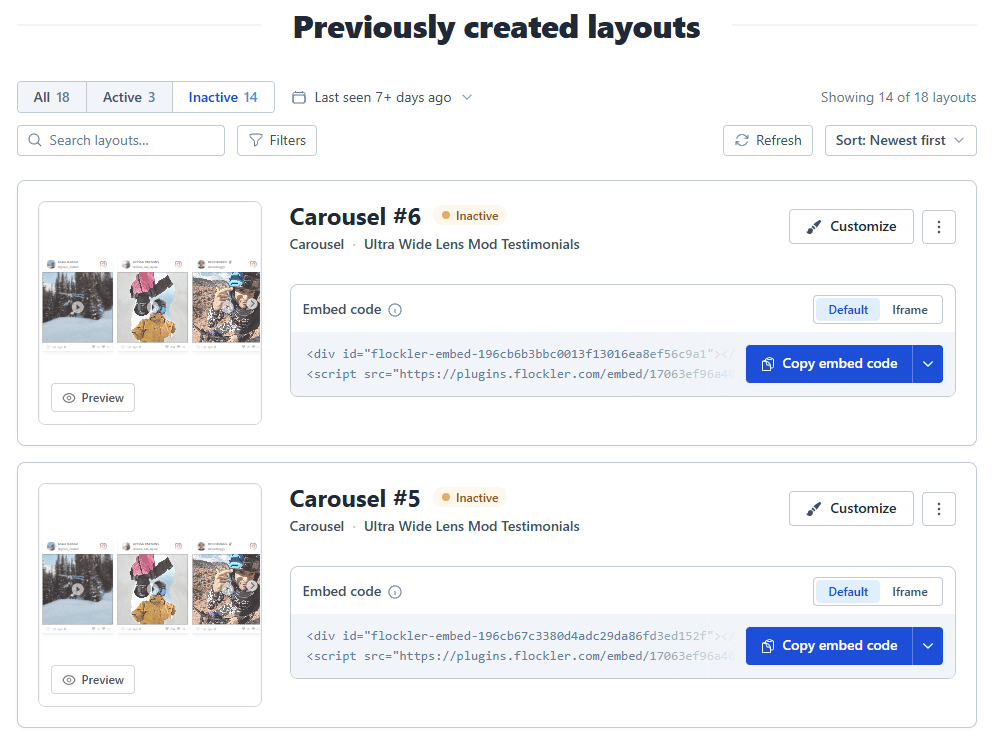
For anyone managing a high volume of embedded social feeds, this replaces a process that previously meant opening displays one by one.
Snapshot Metrics Per Display
Each display also shows:
- Total views over the last 60 days
- The number of pages or URLs it's embedded on
- When it was last seen
Data refreshes every 1-6 minutes.
Search, Filter, and Sort
You can filter by status, sort by newest, most viewed, or most embedded pages, and search by embed name or URL. If something looks off, you can act on it immediately rather than flagging it for later.
Keeping Displays Current
An embedded feed showing old content undermines the point of having it there. Most teams don't have a consistent process for catching that, and things quietly go stale.
A quick monthly scan of inactive displays is enough to stay on top of it. For agencies managing feeds across multiple client sites, the time saving is more significant. The more displays in play, the more useful a single view becomes.
Proving Where Your Content Runs
For agencies and teams running sponsored or partnership content, embed visibility also covers proof of deployment. The display tab shows the specific URLs each embed runs on, which you can share directly with a client, sponsor, or stakeholder without having to take screenshots manually.
FAQs
Where do I find embed visibility in Flockler?
In the display tab inside your account. All your displays are listed there with their status indicators, view counts, and page data.
What do the status labels mean?
Active means at least one view in the last 7 days. Inactive means no activity recorded for over 7 days, which usually indicates the layout needs attention or can be removed.
Can I see which specific pages an embed is running on?
Yes. Each display shows the URLs it appears on, not just a total count. Useful for verifying deployment or tracking down an embed you've lost sight of.
Does this work for agency accounts?
Embed visibility is available across all Flockler accounts. For agencies using My Sites, visibility works at the individual site level, so each client's displays sit within their own workspace.
A true growth operator with extensive experience across crowdsourcing, affiliate programs, and social media aggregation. Brooke is the CEO if Flockler and cofounder of the marketing agency Northweather and has worked with global brands including LEGO. With international experience spanning SaaS, marketing, and product, she brings sharp expertise in strategy, execution, and driving results through global cross-functional teams.
Soziale Infrastruktur, die mit Ihnen skaliert.
Starten Sie Ihre kostenlose Testversion oder lassen Sie sich von uns die Plattform in Aktion zeigen.



