September 18, 2026
What Is an Instagram Embed Code and How Does It Work?
X Minute gelesen

Soziale Infrastruktur, die mit Ihnen skaliert.
Starten Sie Ihre kostenlose Testversion oder lassen Sie sich von uns die Plattform in Aktion zeigen.
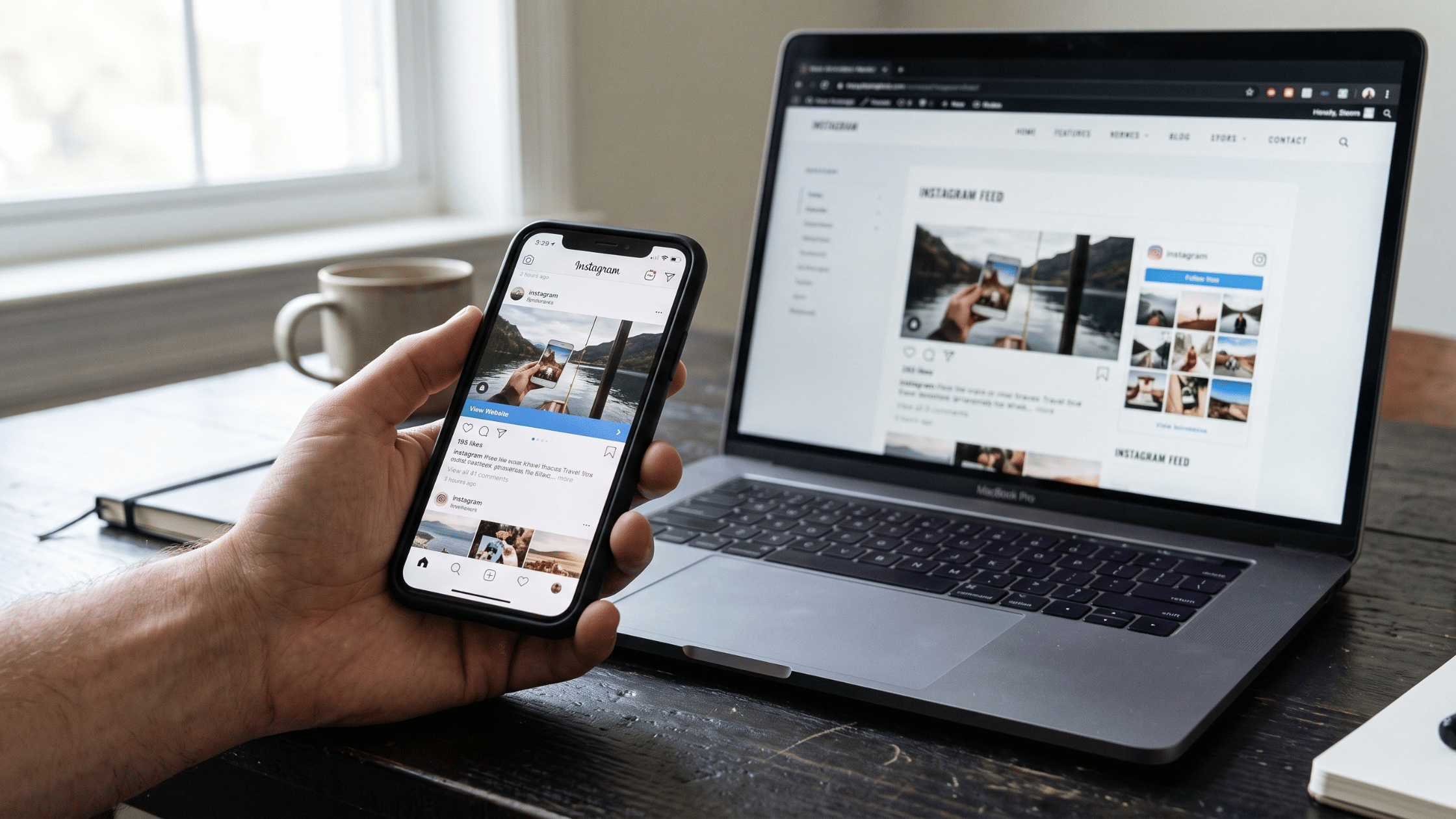
If you've ever wanted to display an Instagram post on a website, you've probably come across the term "embed code." Instagram provides a native embed option for individual posts, reels, and profile previews, and it looks like a quick solution. Paste a snippet of code, and the post appears on your page.
But more than most people realize, the native embed has real limitations that matter if you're trying to display a full, live Instagram feed rather than a single static post.
This guide covers how Instagram embed codes actually work technically, how to get one, what the limitations are, and how Flockler's approach to embedding Instagram content differs.
How Does an Instagram Embed Code Work?
When you embed an Instagram post natively, you don't host any of the content yourself. Instead, Instagram's embed code uses the oEmbed API to pull the post content directly from Instagram's servers and render it inside an iframe on your page.
Here's what happens step by step when a visitor loads a page with a native Instagram embed:
- Your page loads and the browser encounters the Instagram embed code in the HTML
- The browser requests Instagram's oEmbed endpoint to fetch the post data
- Instagram returns the post content (image, video, caption, profile details) formatted for display
- The content renders inside an iframe on your page
- At the same time, Meta's JavaScript loads and sets tracking cookies on the visitor's browser
That last point is worth noting. The native embed code doesn't just display a post. It also loads Meta's JavaScript library, which installs third-party tracking cookies as soon as the page is rendered, before the visitor interacts with the embed at all.
What the Embed Code Actually Looks Like
When you copy an Instagram embed code, it contains two parts:
The blockquote: A structured HTML element that holds the post URL and basic metadata. Search engines and non-JavaScript browsers use this to understand the content.
The script tag: This loads Instagram's embed JavaScript from Meta's servers. The script reads all the blockquote elements on the page and replaces them with fully rendered iframes containing the post content.
This script is what loads Meta's tracking cookies. It only needs to appear once per page even if you have multiple embeds, but it will execute every time someone visits that page.
How to Get an Instagram Embed Code
Instagram provides embed codes for posts, reels, and guides from public accounts. You can't embed private account content.
To embed a single post or reel:
- Open Instagram in a browser, then go to the post you want to embed
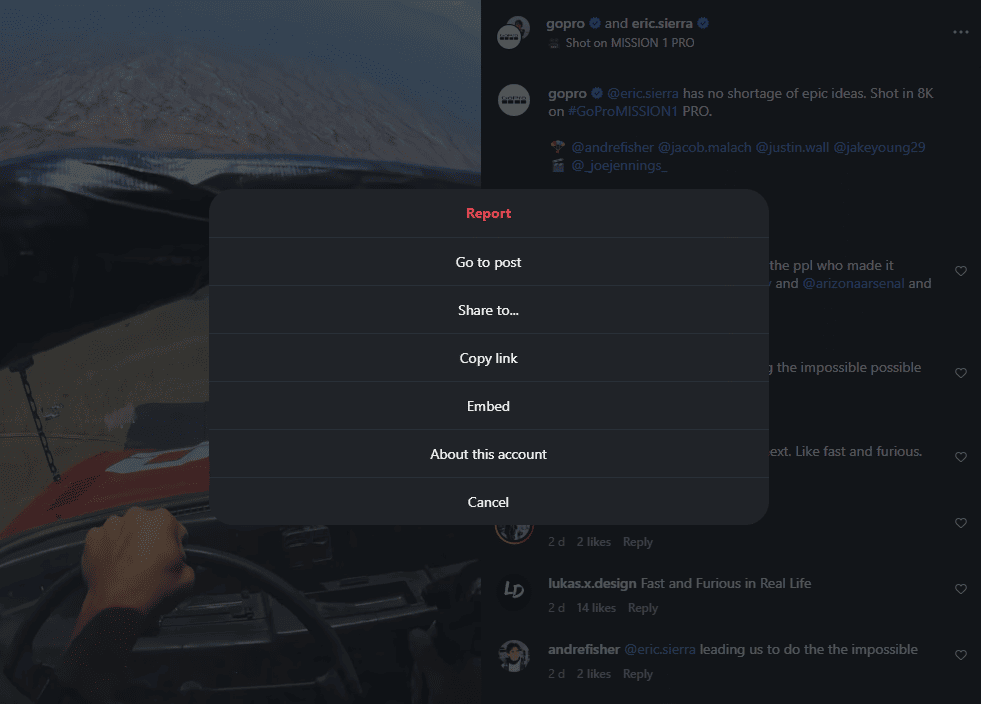
- Click the three dots in the upper right corner of the post
- Select Embed from the options
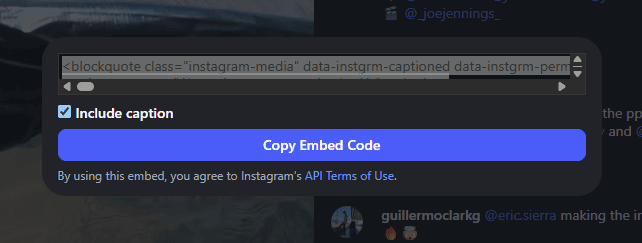
- A window appears with the embed code. You can choose whether to include the caption or not.
- Click Copy embed code
- Paste the code into your website's HTML or CMS
The Limitations of Instagram's Native Embed Code
The native embed works fine for a single post in a blog article or a one-off reference. For anything more, it falls short quickly.
One post at a time
Every post you want to display requires its own embed code. If you want to show ten recent posts, you need ten separate embed codes, each added manually. And when you post something new on Instagram, your website doesn't update automatically. You have to go back, copy a new embed code, and add it manually.
No design control
The native embed renders in Instagram's own fixed style. You cannot change the layout, colors, fonts, or proportions to match your website. The iframe has a set minimum width, and the post always looks like an Instagram post, not a native part of your site.
GDPR and cookie compliance issues
As covered above, the native embed loads Meta's JavaScript on page load, which sets third-party tracking cookies before the visitor has given consent. Under GDPR, this is a problem. Websites using embedded tracking technologies without user consent have faced significant regulatory fines, including a $350,000 penalty issued by the California Privacy Protection Agency in 2025 for similar third-party embed tracking.
If your website caters to visitors in the EU, displaying native Instagram embeds without a properly configured cookie consent mechanism creates real compliance risk.
No moderation or filtering
With native embeds, you have no control over what content appears beyond manually choosing each post. You can't filter by rating, keyword, or account, and you can't use a moderation queue.
No analytics
Instagram's native embed doesn't give you any data on how visitors interact with embedded posts on your site. You can't see view counts, clicks, or engagement through the embed.
A Better Way to Embed Instagram: Flockler
Flockler takes a different approach. Instead of using Instagram's native embed code and loading Meta's JavaScript on your page, Flockler connects to the Instagram API on the server side, pulls your content, and generates its own embed code.
The result is a full, auto-updating Instagram feed that you control, displayed in a layout that fits your site, with no Meta tracking cookies loaded on your visitors' browsers.

What Flockler's embed code does differently
Server-side API connection: Flockler fetches your Instagram content on its own servers using the Instagram API. Your website only loads Flockler's script, not Meta's. This means no Meta tracking cookies are installed on your visitors' browsers when they view your embedded feed.
Auto-updating feed: Once connected, Flockler automatically pulls in new posts. Your website displays the latest content without any manual action.
Multiple content sources: You can pull from your own Instagram account, hashtag feeds, mentions, or a combination of several accounts. All of it can display in a single feed on your site.
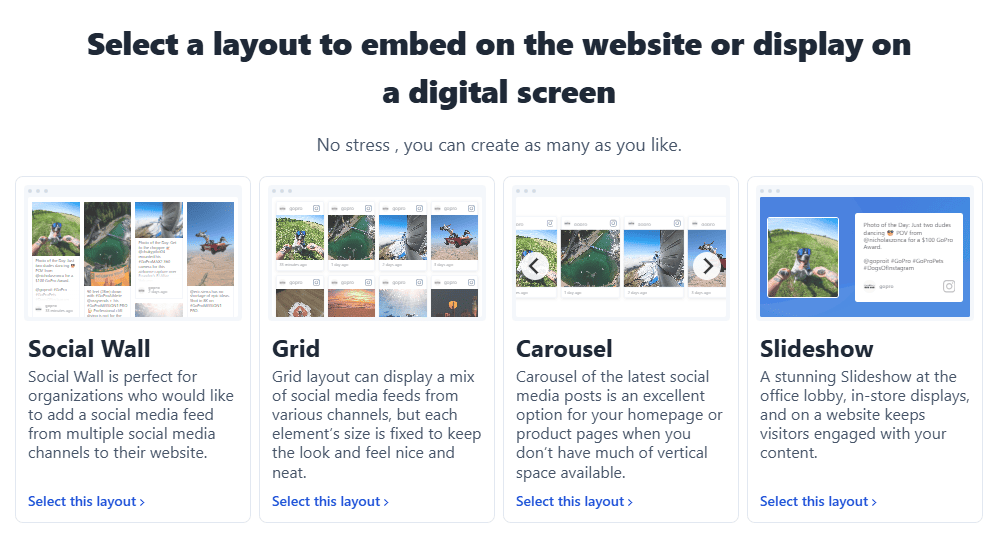
Four layout options: Wall, Grid, Carousel, and Slideshow. Each is fully customizable to match your site's colors, fonts, and spacing.
Content moderation: Choose between auto-publish, manual approval, or Garde AI moderation that automatically filters out inappropriate or off-brand content before it reaches your page.
GDPR compliant: Because Flockler handles the API connection server-side and doesn't load Meta's JavaScript, it avoids the cookie compliance issues associated with native Instagram embeds. Flockler is GDPR compliant and WCAG 2.1 Level AA accessible.
How to Get a Flockler Embed Code for Instagram
Sign up for a Flockler 14-day free trial and follow these steps:
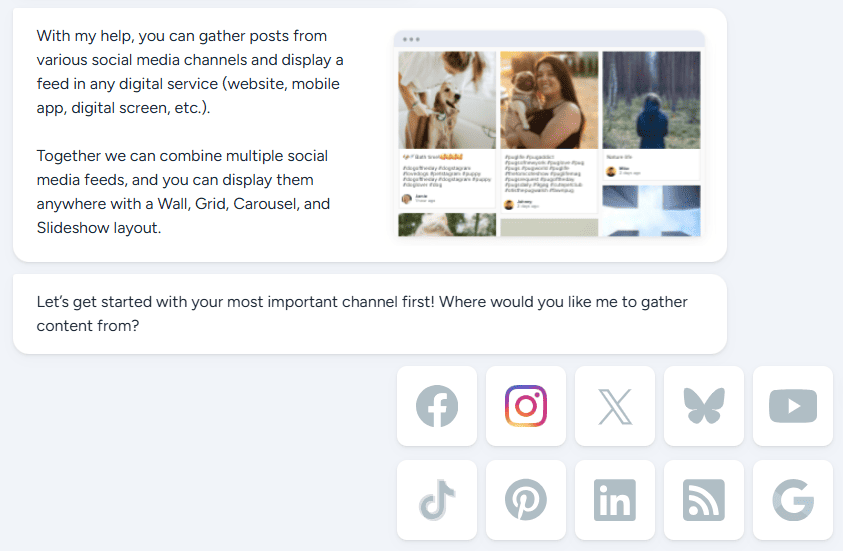
Step 1: Go to the Feeds tab and connect your Instagram account. You can connect via email and password for your own account posts, or via Facebook to unlock hashtag feeds, mentions, and Stories from Business accounts.
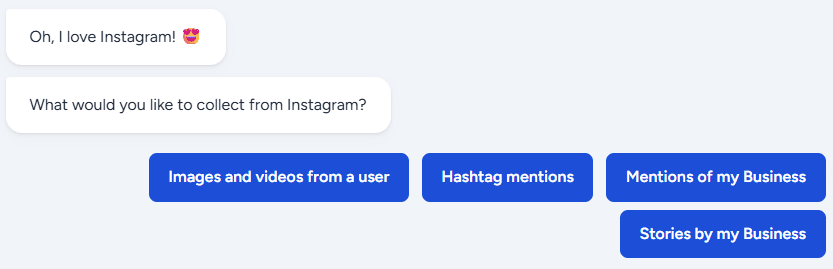
Step 2: Choose your content source: your own account, a hashtag, mentions, or a combination. Select whether new posts are auto-published or sent to a moderation queue.
Step 3: Go to the Display tab and create a layout. Choose Wall, Grid, Carousel, or Slideshow, then customize the design to match your site.
Step 4: Copy the embed code Flockler generates and paste it into your website. It works in any CMS via a Custom HTML block, or via the Flockler WordPress plugin if you're on WordPress.

The feed is now live on your site and updates automatically. For platform-specific instructions, see:
- How to embed an Instagram feed on WordPress
- How to embed an Instagram feed on Shopify
- How to add an Instagram feed to Joomla
Native Instagram Embed vs Flockler: A Direct Comparison
FAQs
What is an Instagram embed code?
An Instagram embed code is an HTML snippet that Instagram generates for individual posts, reels, and profiles from public accounts. When you paste it into a web page, it uses Instagram's oEmbed API to render the content inside an iframe. The code includes a blockquote element with the post URL and a script tag that loads Meta's JavaScript.
Can I embed Instagram posts for free?
Yes. Instagram's native embed is free. You can get the code directly from any post on a public account. Flockler offers a 14-day free trial, after which you need a subscription to keep the feed live and updated.
Does the Instagram embed code work on private accounts?
No. Only posts from public Instagram accounts can be embedded using the native embed code. Private account content is not available for embedding.
Does embedding Instagram on my website affect my GDPR compliance?
Using Instagram's native embed code loads Meta's JavaScript on page load, which sets third-party tracking cookies on your visitors' browsers without their prior consent. Under GDPR, this requires a properly configured cookie consent mechanism. Flockler handles the API connection server-side, avoiding this issue.
Can I embed Instagram Stories?
Instagram's native embed tool does not support Stories. Flockler supports Stories from Instagram Business accounts that you administer, connected via a Facebook account.
Why isn't my Instagram embed code showing up?
The most common reasons are: the account is set to private, the post has been deleted, or Meta's embed JavaScript failed to load. Some website builders and CMS platforms block custom JavaScript by default. Try switching the page editor to a raw HTML or custom code block and re-pasting the code.
How is Flockler's embed code different from Instagram's native embed?
Flockler fetches your Instagram content on its own servers using the Instagram API, then generates its own embed code to display it on your site. This means no Meta JavaScript runs on your page, no Meta tracking cookies are set on your visitors' browsers, and the feed updates automatically without any manual action.
Ready to move beyond the single-post embed? Start a free 14-day trial with Flockler and have a full Instagram feed live on your website in minutes.
For a broader guide on embedding Instagram across different platforms and use cases, see how to embed an Instagram feed on your website.
A true growth operator with extensive experience across crowdsourcing, affiliate programs, and social media aggregation. Brooke is the CEO if Flockler and cofounder of the marketing agency Northweather and has worked with global brands including LEGO. With international experience spanning SaaS, marketing, and product, she brings sharp expertise in strategy, execution, and driving results through global cross-functional teams.
Soziale Infrastruktur, die mit Ihnen skaliert.
Starten Sie Ihre kostenlose Testversion oder lassen Sie sich von uns die Plattform in Aktion zeigen.