

March 31, 2026
UGC Display API: How to Collect and Display User Generated Content
X minute de lecture


Une infrastructure sociale qui évolue avec vous.
Commencez votre essai gratuit ou laissez-nous vous montrer la plateforme en action.
Customer content is everywhere.
On Instagram, TikTok, Google Reviews, YouTube, and a dozen other platforms, people share their experiences with your brand every day. The challenge is getting that content off those platforms and onto your website, product pages, event screens, and apps in a way that stays fresh, stays moderated, and actually fits your design. A UGC display API solves this.
It connects your customer content wherever you need to show it, without requiring your team to manually pull posts or rebuild integrations whenever a platform changes its rules. We’ll look at why brands use UGC display API, how you should evaluate, and how Flockler handles this for teams that want a production-ready solution.
Why Brands Use an API for UGC Displays
The reason brands invest in a dedicated API for UGC displays comes down to three things: trust, efficiency, and scale.
1. Social Proof Converts Visitors Into Buyers
Research shows that visitors who interact with UGC are 102% more likely to convert than those who do not. Adding customer photos and reviews to product pages, landing pages, and checkout flows gives shoppers the confidence to buy.
UGC-based ads also generate 4x higher click-through rates and 50% lower cost-per-click compared to standard brand ads. A UGC display API enables automatic surfacing of this content at the right touchpoints, turning passive social proof into an active conversion tool.
2. Manual Content Collection Does Not Scale
Copying and pasting social posts onto your website works when you have ten posts. It falls apart when you manage multiple campaigns across multiple platforms. An API for UGC displays automates the entire pipeline, from collection to display, and keeps feeds updated without manual intervention. This is critical for teams running always-on campaigns where new customer content arrives daily across Instagram, TikTok, YouTube, and other channels.
3. Multi-Channel Display Becomes Possible
The same API connection can power your website, event screens, digital signage, email campaigns, and mobile app. You collect it once and display it everywhere. This is especially valuable for brands running hashtag campaigns, product launches, or live events where content flows in quickly from multiple sources.
E-commerce brands like GoPro use this approach to pull customer adventure photos from Instagram and display them as shoppable galleries on product pages. Universities like Harvard aggregate campus content across social channels and display it on admissions pages and digital screens. In both cases, the UGC display API handles the heavy lifting of collecting, normalizing, and delivering content from different platforms through a single integration.
Limitations of Building Your Own UGC Display API
Building directly on top of native platform APIs takes more work than it first appears. Here is where things get complicated:
- Separate authentication per platform: Instagram, YouTube, LinkedIn, and TikTok each have their own login and access systems. Connecting to five platforms means building and maintaining five separate setups.
- Rate limits that shift without warning: Each platform caps how often you can request data, and those limits change. Staying within them while keeping feeds fresh requires extra planning and caching on your end.
- Inconsistent data formats: A post from Instagram is structured completely differently from a Google Review. You need to write extra code to turn all of that into a consistent format your front-end can actually use.
- Ongoing maintenance when platforms update: Platforms change their APIs regularly. When they do, your integration can break. Someone on your team has to catch it, fix it, and test it every time.
For teams pulling content from multiple sources and displaying it across multiple surfaces, building it from scratch can be time-consuming as well. That is where API-based aggregators serve a clearer purpose.
6 Features to Look Out For In a UGC Display API
Not every API handles UGC the same way. Here are the features that matter most when choosing a UGC display API:
Multi-Platform Support
Check which social networks the API platform connects to. Some tools cover only Instagram and Facebook. Others support TikTok, YouTube, LinkedIn, X, Pinterest, Google Reviews, Bluesky, and more. Flockler, for instance, supports 13+ platforms through official API connections, including RSS feeds and custom review forms.
The more platforms your UGC display API covers, the fewer gaps you will have in your content pipeline. If your customers post on TikTok and your tool only supports Instagram, you are missing a significant portion of your available UGC.
Content Moderation
Displaying user content without moderation is risky. A single inappropriate post on your homepage can instantly damage brand trust. Look for tools that offer manual approval workflows, automated keyword filters, and AI-powered moderation. Manual review gives you full control over every post. AI moderation scales better for high-volume campaigns where hundreds of posts come in daily. The best tools offer both, so you can choose the right approach for each campaign.
Flockler includes Garde AI, an AI content moderator that automatically flags and hides offensive, irrelevant, or spammy content before it reaches your audience.
Real-Time Updates
Fresh content matters for live campaigns and events. Check how often the API refreshes feeds. Some providers update every hour. Others refresh every 5 to 15 minutes. For event social walls or product launches, faster refresh speeds ensure your displays stay current without anyone manually pulling in new posts.
Layout Options
If you want to skip custom development, pre-built layouts save time. Walls, grids, carousels, and slideshows are the most common formats. Look for providers that offer CSS customization so you can match layouts to your brand identity. Also, check whether layouts are limited by plan or priced per widget. Some tools charge extra for each new display you create.
Shoppable Feeds
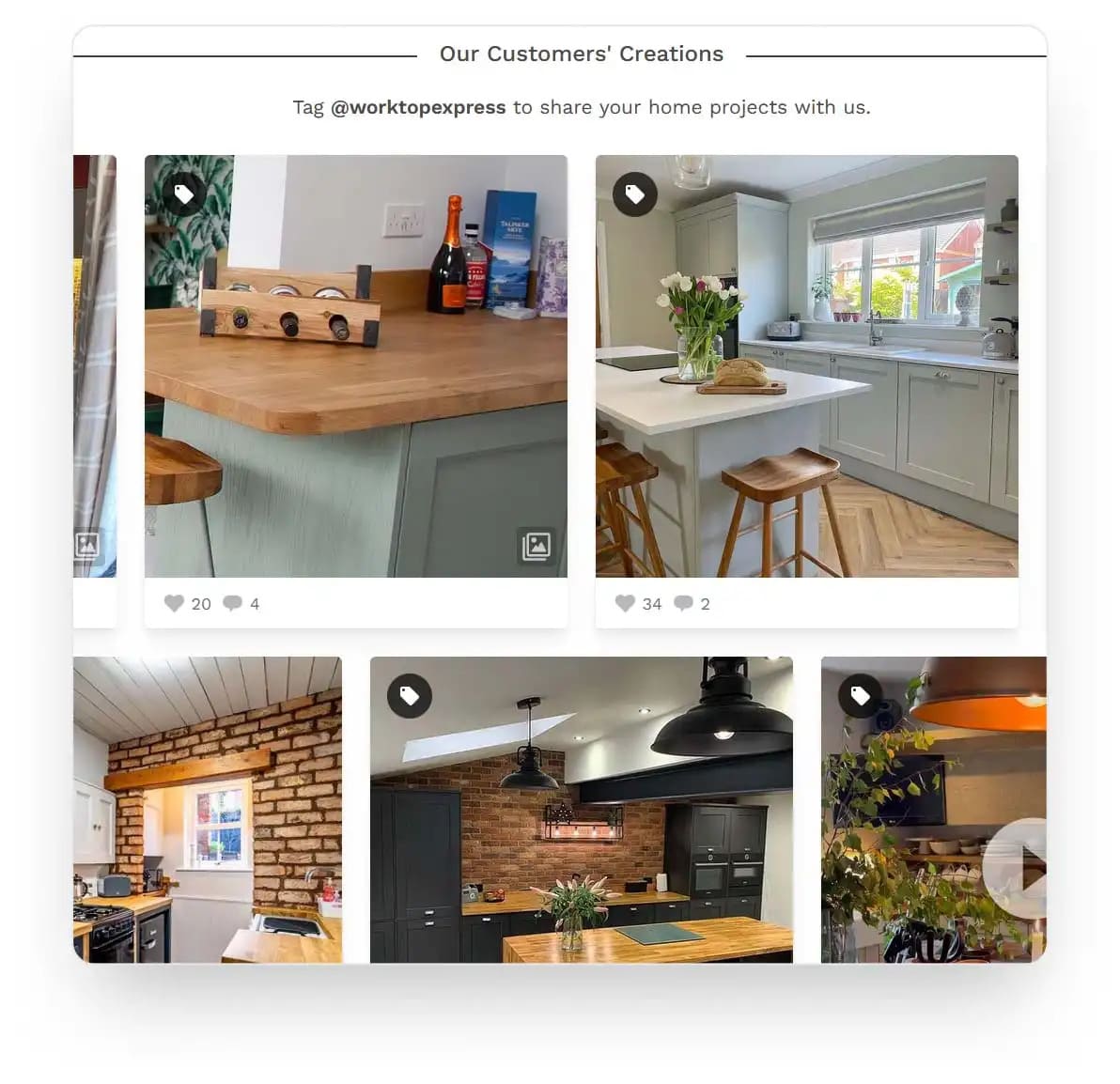
For e-commerce, the ability to tag products directly within UGC posts shortens the path from browsing to purchase. Shoppable UGC galleries let customers click through from a customer photo directly to the product page, turning social content into a sales channel. Check whether this feature is included in your plan or requires an add-on, as pricing varies across providers.
Rights Management
Reusing customer content legally requires clear permission. Look for built-in rights-request workflows that let you request approval from creators before displaying their content. This is especially important for brands using UGC on websites, in paid ads, or in printed materials, where usage rights carry legal weight. Skipping this step can lead to takedown requests or, in some cases, legal disputes.
How to Set Up a UGC Display API With Flockler
Setting up Flockler to collect and display UGC involves just three main steps.
Although no coding is required for the embed approach, the API needs developer involvement. Flockler has detailed documentation for this. The Content API is available for teams that need full customization.
Step 1: Connect Your Social Accounts and Create Feeds

After signing up for a 14-day free trial (no credit card required), Flockler's setup bot walks you through the process of connecting your social media accounts. You can pull content by hashtag, mention, handle, or keyword from platforms like Instagram, TikTok, YouTube, Facebook, LinkedIn, X, and others.
Each connection creates a feed that automatically collects new content as it gets posted. For example, you might create one feed for your branded hashtag on Instagram and another for customer reviews on Google. Both feeds update independently and can be displayed on the same page or on different pages across your website.
Note: For using the UGC display API of Flockler, you need to upgrade from the free trial and purchase a paid plan.
Step 2: Moderate and Curate Your Content

Choose your moderation approach: manual review, automated publishing, or Garde AI moderation. Manual review sends all content to an inbox for approval. Automated publishing makes content live immediately. Garde AI sits in the middle. It filters out anything that does not meet your brand safety criteria while publishing the rest.
You can also tag content for specific campaigns or product categories to keep your UGC organized. This makes it easier to pull relevant content for specific product pages or seasonal campaigns later.
Step 3: Display Content Using Embeds or the API
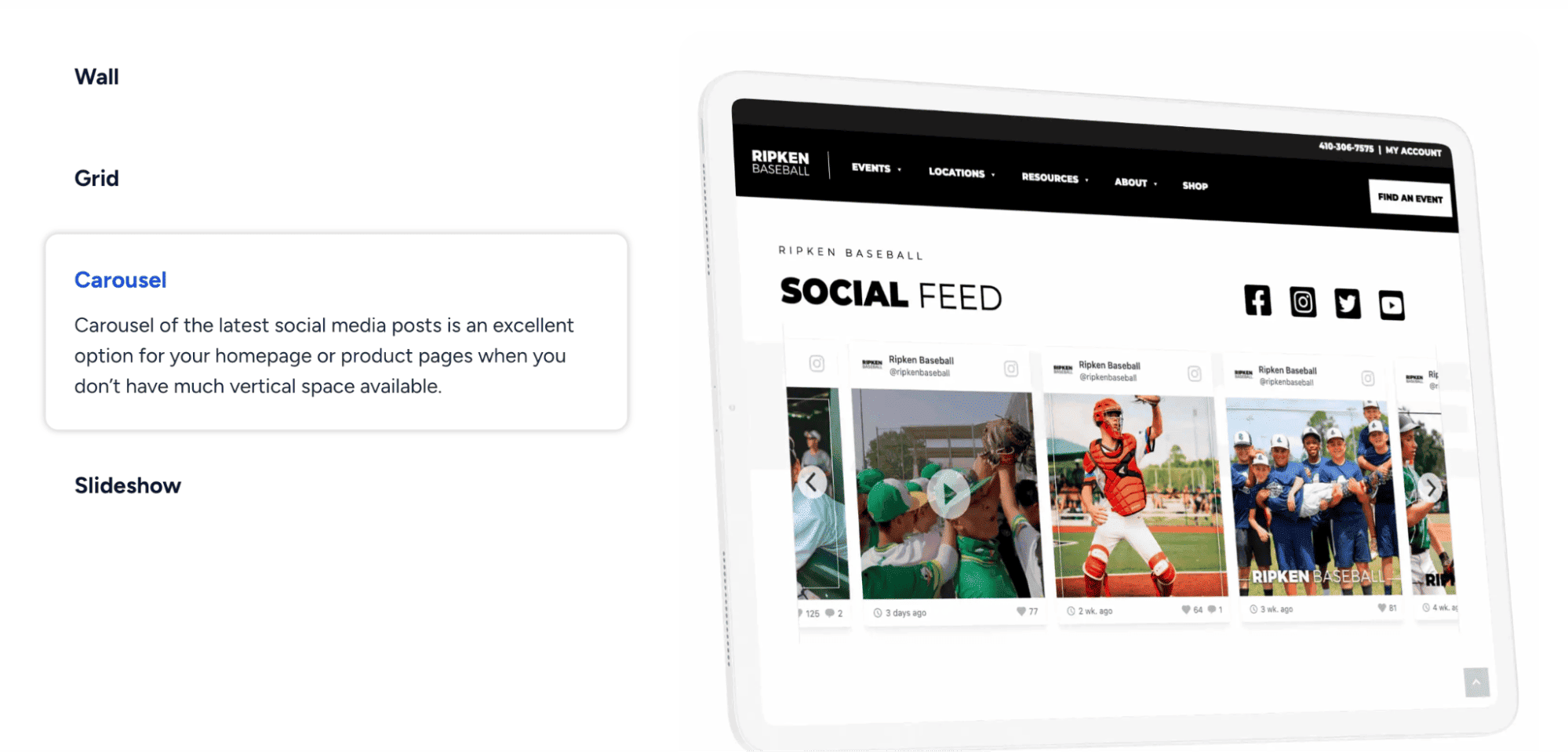
For embed layouts, select your preferred format (wall, grid, carousel, or slideshow), customize the design, and copy the embed code into your website. This works on any platform that supports HTML, including WordPress, Shopify, Webflow, and custom-built sites.
For custom builds, use Flockler's Content API to fetch posts programmatically. The API returns JSON data including post content, images, videos, author profiles, and tags. You authenticate requests with an API key and can filter results by channel, section, or tag. This gives your development team complete control over how UGC renders on your site or app.
The Content API requires a Premium or Agency plan. It is not available during the free trial. Embed layouts are available on all plans, starting with the Basic plan at $110/month (billed annually).
Common Use Cases for a UGC Display API
Here is how different teams use a UGC display API:
- E-commerce product pages: Display customer photos, unboxing videos, and product reviews alongside product listings in your e-commerce store. This adds social proof at the point of purchase and can increase conversion rates. Skincare brand Kora Organics, for example, uses Flockler to embed shoppable UGC galleries on product pages, letting shoppers see real customers using the products before they buy. When a potential buyer sees someone with a similar skin type sharing their experience, it reduces purchase hesitation.
- Event social walls: Show live social posts from event hashtags on large screens at conferences, trade shows, and sporting events. Real-time updates keep the wall fresh and encourage attendees to post more. Flockler's auto-updating feeds support this without any manual refresh needed during the event. Event organizers can moderate content in real time to keep displays brand-safe.
- Digital signage: Retail stores, university campuses, and corporate offices display curated social feeds on lobby screens, in-store monitors, and campus displays. The content stays brand-safe through moderation and updates automatically. An API for UGC displays makes it easy to route the same content to screens in different locations without duplicating setup work.
- Intranet and internal communications: Embed social feeds into platforms like SharePoint or Confluence. This keeps employees connected to the brand's social presence and highlights customer stories. Internal teams can see real-time customer sentiment without logging into multiple social accounts.
Email campaigns: Include UGC snapshots in newsletters and promotional emails to increase click-through rates. UGC in email marketing increases click-through rates by 78%. Pulling fresh customer content via an API keeps your email visuals up to date without manually sourcing images each time you send a campaign.
Pricing and Plan Considerations

UGC display API pricing varies by provider. Some charge per widget or wall. Others charge by platform connections, post volume, or API calls. Understanding the pricing model before you commit helps you avoid unexpected costs as you scale.
Flockler prices by the number of active feeds (sources), not by layouts or page views. You can create unlimited walls, grids, carousels, and slideshows on every plan. Here is a quick overview of Flockler's plan structure:
- Basic: $110/month (billed annually), 8 feeds, manual content moderation, unlimited layouts
- Business: $195/month (billed annually), 15 feeds, Garde AI automated moderation, AI alt text for accessibility
- Pro: $325/month (billed annually), 30 feeds, priority CSM support via video calls
- Premium: Custom pricing, custom feed count, bulk feed creation for Instagram, Facebook, RSS and X, Content API access
- Agency: Everything on Premium plus one-click client setup, role-based access, markup-friendly pricing, unified feed dashboard
The Content API requires a Premium or Agency plan. It is not available during the free trial. All plans include live chat and email support, as well as unlimited layouts, page views, and users. You can also swap sources at any time without losing stored content, which gives you flexibility for seasonal campaigns or hashtag events.
For teams that only need embed layouts, the Basic plan provides a solid starting point with eight feeds and manual moderation. Teams that need full UGC display API access should contact Flockler for custom Premium pricing.
FAQs
Do I Need Coding Skills to Display UGC on My Website?
No. Tools like Flockler provide prebuilt embed layouts that use a simple copy-paste embed code. You only need the API if you want to build a fully custom frontend or integrate with a mobile app.
Which Social Platforms Does Flockler Support?
Flockler connects to 13+ platforms, including Instagram, Facebook, TikTok, YouTube, LinkedIn, X, Pinterest, Google Reviews, Bluesky, RSS, Flickr, and SoundCloud. You can also collect content through custom review and upload forms.
How Much Does a UGC Display API Cost?
Pricing depends on the provider and plan. Flockler's plans start at $110/month (Basic) for embed-only access. API access requires the Premium plan. All plans include unlimited layouts and live support.
Can I Use UGC on Digital Signage and Event Screens?
Yes. A UGC display API can feed content to digital screens, event walls, and in-store monitors. Flockler supports multiple display formats for both web and non-web surfaces.
A true growth operator with extensive experience across crowdsourcing, affiliate programs, and social media aggregation. Brooke is the CEO if Flockler and cofounder of the marketing agency Northweather and has worked with global brands including LEGO. With international experience spanning SaaS, marketing, and product, she brings sharp expertise in strategy, execution, and driving results through global cross-functional teams.
Une infrastructure sociale qui évolue avec vous.
Commencez votre essai gratuit ou laissez-nous vous montrer la plateforme en action.



