

March 23, 2026
Social Proof API: Collect, Moderate, and Display Customer Content Anywhere
X minute de lecture


Une infrastructure sociale qui évolue avec vous.
Commencez votre essai gratuit ou laissez-nous vous montrer la plateforme en action.
Your customers are probably already reviewing your products on Google, tagging your brand on Instagram, and even posting unboxing videos on TikTok. That content influences buying decisions more than anything your marketing team writes.
According to a 2026 WiserReview report, products with five or more reviews are 270% more likely to be purchased than products with zero reviews.
The problem is that this content lives on social platforms, scattered and hard to use. A social proof API brings it all together. It collects customer content from multiple platforms and automatically delivers it to your website, app, or screen, so your team never has to update feeds by hand.
In this guide, we cover the two main types of social proof APIs, how social proof aggregation works, and how Flockler's Content API helps e-commerce, enterprise, and agency teams display trust signals at scale.
Types of Social Proof APIs
Social proof APIs fall into two categories, each serving a different purpose.
1. Notification-Based Social Proof APIs

They track real-time visitors and purchase activity on your site. They display popups like "Sarah from London just purchased this item" or "42 people are viewing this product right now." Tools like ProveSource, Nudgify, Fomo, and TrustPulse fall into this category. They focus on creating urgency through live activity data.
2. Aggregation-Based Social Proof APIs

They work the same way as social media APIs. There is no technical difference between the two. Some tools market themselves specifically as review widgets or social proof tools, but the underlying function is the same: collecting content from social platforms and review sites and displaying it on your digital properties.
For instance, they pull Instagram photos, Google Reviews, YouTube videos, TikTok posts, and other UGC into a single feed. You then display that feed on your website, digital screens, intranet, event displays, or app. Flockler and EmbedSocial are examples of this approach.
If you need social walls, review carousels, or shoppable UGC galleries on your website, an aggregation-based social media tool is the right pick. If you want real-time purchase notifications and visitor counters, a notification-based tool is better suited. Some brands use both.
Why Social Proof Increases Conversions

People look to others’ experiences before making a purchase. Online, that means reviews, customer photos, and testimonials directly influence whether someone clicks "Buy."
Reviews rank as the third most important factor shoppers consider before buying. 72% rate them as very or extremely important. The only factors that rank higher are pricing and product images.
The format matters too. Many customers watch a video testimonial to learn about a product. Video testimonials drive an 80% higher conversion rate than text reviews. Customer photos and videos carry more weight because they feel harder to fake.
The placement of social proof is relatively important as well.
A carousel of customer photos on product pages or the homepage does more than a testimonial buried on a separate page. Social proof placed near calls to action, signup forms, and pricing sections reduces hesitation and improves conversion rates.
Social proof for e-commerce has the strongest impact on product pages, landing pages, and checkout screens. Enterprise teams managing dozens of brand properties see the same effect when trust signals appear consistently across every surface.
What Makes Social Proof Aggregation Different
Most brands start with the basics. They copy a customer quote into a testimonial section or screenshot a positive review and upload it as an image. That works when you have five reviews. It stops working when you have hundreds of customers posting across Instagram, TikTok, Google, and YouTube every week.
Social proof aggregation solves the scale problem. Instead of manually collecting content from each platform, an aggregation tool connects to multiple social networks and review sites via their APIs. It pulls content into a single dashboard where your team can moderate, organize, and display it.
This approach works better than manual collection or native embeds for three reasons:
- First, native social media embeds are limited to one platform at a time. An Instagram embed shows only Instagram posts. A Google Reviews widget shows only Google Reviews. With aggregation, you combine content from all platforms into a single feed. A single social wall on your homepage can show Instagram photos, Google Reviews, TikTok videos, and YouTube content together.
- Second, native embeds give you almost no control over what appears. If a customer tags your brand in an off-topic or inappropriate post, it shows up on your website. Most social media aggregation APIs include moderation features that let you approve, reject, or filter content before it goes live.
- Third, maintaining native API connections is expensive. Each platform has its own authentication process, rate limits, and API changes. Instagram requires a connected Facebook account, a Business or Creator profile, and regular token refreshes. X moved to a paid API model. An aggregation tool handles all of this behind the scenes. Your team connects once, and the tool manages platform changes going forward.
For marketing teams, this means less time spent on content operations and more time on strategy. For development teams, it means fewer integrations to build and maintain.
Where Social Proof Belongs on Your Website
Where you place social proof determines its impact. Here are a few placements that work best:
- Product pages: Customer photos and reviews next to product descriptions help shoppers make confident purchase decisions. Shoppable UGC galleries let visitors click from a customer photo directly to the product listing. Sohome uses Flockler to display shoppable Instagram feeds alongside its product pages.
- Homepage: A social media wall combining customer Instagram posts, Google Reviews, and brand content gives first-time visitors an immediate sense of credibility. GoPro displays a live-updating feed of customer photos and videos on its homepage as part of the #GoProAwards campaign.
- Landing pages: Campaign-specific social proof on landing pages, like posts tagged with an event or product launch hashtag, validates your messaging with real customer voices. Keeping this content fresh matters. Up-to-date reviews and live social media feeds keep landing pages credible.
- Checkout pages: Showing recent reviews or customer photos near the checkout reduces last-minute hesitation. This works especially well for higher-priced products where buyers need extra reassurance.
- Digital signage and event screens: Retail stores, hotel lobbies, conference venues, and campus buildings use social proof feeds on screens. The content refreshes automatically every few minutes.
- Intranets and internal platforms: Employee-generated content and company social feeds displayed on SharePoint or Confluence keep internal communications current and visible.
How to Set Up Social Proof Aggregation With Flockler
Flockler is a social media aggregator that collects content from 13+ platforms and makes it available through embed codes and a Content API. It connects to Instagram, Facebook, X (Twitter), YouTube, TikTok, LinkedIn, Bluesky, Pinterest, Google Reviews, RSS feeds, Flickr, SoundCloud, and even custom upload forms.
Here’s how to set up social proof aggregation with Flockler:
Step 1: Sign Up and Connect Your Accounts

Create an account or start the 14-day free trial (no credit card required). The trial gives you access to all Basic plan features. Connect your social media accounts and review platforms.
Step 2: Create Feeds

Set up automated feeds that pull content from specific hashtags, user accounts, mentions, or keywords. Each feed targets one platform and one content type.
Step 3: Moderate Content

Choose between manual review, automated publishing, or Garde AI moderation. Garde AI is available on Business plans ($195/month billed annually) and above. It filters out irrelevant and off-brand content without you having to review every post.
Step 4: Build and Embed Layouts
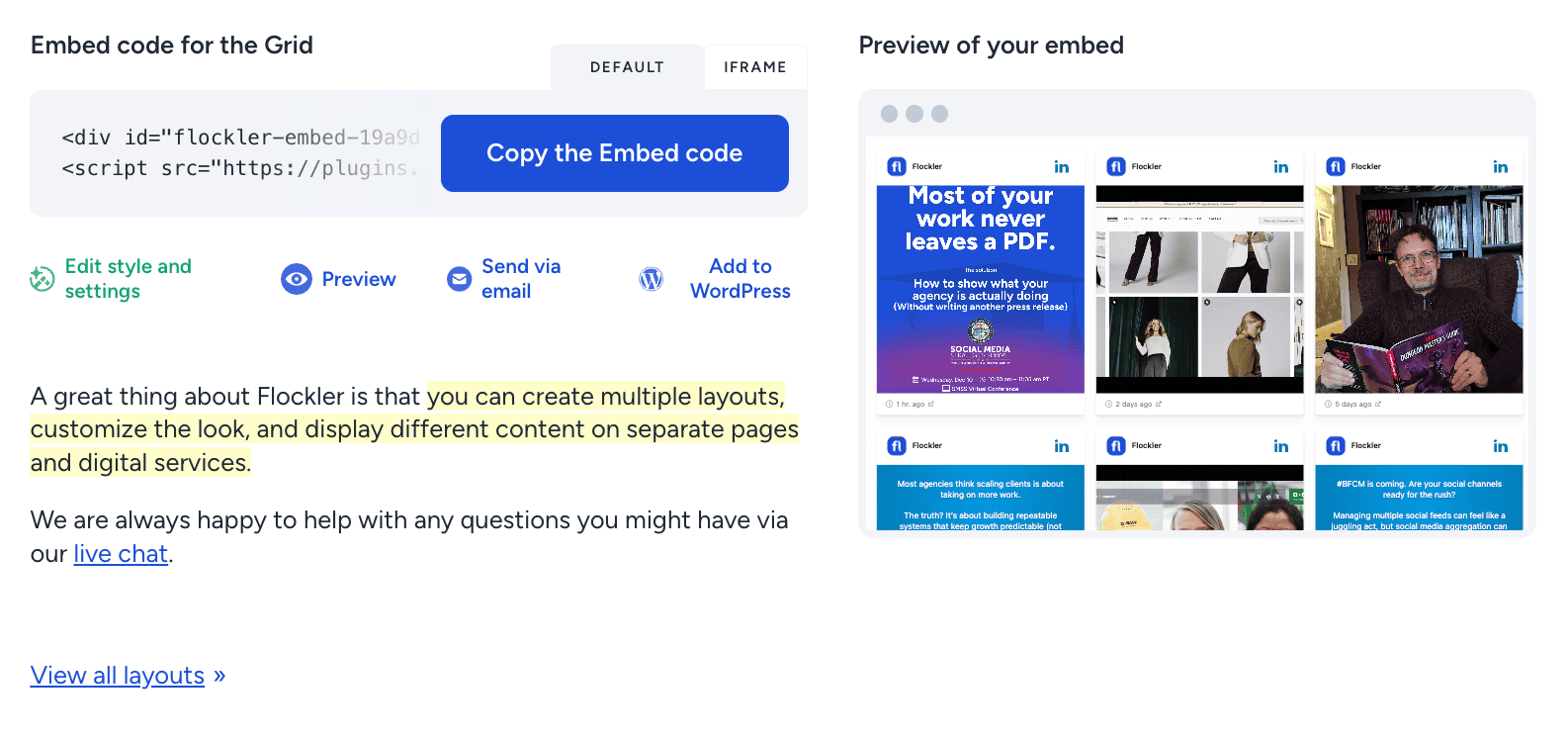
Select from Walls, Grids, Carousels, or Slideshows. Customize the design to match your brand. Copy the embed code and paste it into your website, app, or CMS. Flockler also offers a free WordPress plugin for even faster setup.

Step 5: Use the Content API for Custom Builds
The Content API (available on Premium and Agency plans) delivers all collected content as structured JSON through a single endpoint. Developers use the site UUID and API key to fetch posts. Content can be filtered by section, tag, or platform. This works best for teams building custom frontends, mobile apps, or multi-surface deployments.
Enterprise teams managing content across dozens of regions or brands can also use Flockler's Bulk Feed API. It automates feed creation at scale by letting you launch multiple feeds with a single call. This feature is available on Premium and Agency plans.
Flockler pricing: Basic starts at $110/month (billed annually) with 8 feeds. Business is $195/month with 15 feeds. Pro is $325/month with 30 feeds. Premium offers custom pricing, Content API access, and bulk feed creation. All plans include unlimited layouts, page views, and users. Monthly billing is available at higher rates ($129, $229, and $379, respectively). A 14-day free trial is available with no credit card required.
What to Look for in a UGC Social Proof Tool
Before you pick a tool, run it through these checks:
- Platform coverage: Does the tool connect to all the social platforms and review sites your customers use? Flockler supports 13+ platforms. Some competitors limit source access on lower-tier plans.
- Content moderation: Manual review works for small volumes. At scale, you need automated or AI-powered moderation. Check whether AI moderation is an option in your plan and platform, or if it requires an upgrade.
- API access: If you need custom layouts or multi-surface deployment, confirm that API access is available on your plan. Flockler's Content API requires a Premium or Agency plan. However, Basic, Business, and Pro plans include embed codes and pre-built layouts.
- Analytics: You need to know which content drives engagement and conversions. Look for tools that track impressions, clicks, and top-performing posts across your embedded feeds. Flockler offers a social analytics add-on that provides performance data for all your displayed content.
- Pricing model: Tools charge differently. Some bill per widget, page view, or domain. Flockler charges per feed count and includes unlimited layouts, page views, and users across all plans.
- Support: Look for live support that helps you get set up quickly. Flockler offers live chat and email support on all plans, with video call support on the Pro and Premium plans.
- Scalability: Enterprise teams need bulk feed creation, multi-brand support, and automated deployment. Make sure the tool can handle your content volume and surface count as you grow.
Common Mistakes When Adding Social Proof to Your Website
Even the best customer content loses its impact when brands make avoidable mistakes in how they collect, place, or manage it. These are the ones we see most often.
Displaying Content Without Moderation
If you display social feeds without reviewing what goes live, you risk showing off-brand, irrelevant, or inappropriate content on your website. A customer might tag your brand in a complaint post or an unrelated photo. Without moderation, that content appears on your homepage right next to your best UGC. Even basic automated filters catch most of these issues before they reach your visitors.
Ignoring Content Usage Rights
Reposting customer content without permission can create legal issues. Just because someone tagged your brand on Instagram does not mean you have the right to display their photo on your product page. Use a tool with built-in UGC rights management that lets you request, track, and store permissions from content creators. Flockler offers an in-built UGC rights management tool that handles this automatically.
Burying Social Proof on a Separate Page
A dedicated testimonials page buried in your site navigation does very little. Most visitors never click through to it. Social proof belongs where buying decisions happen. That means product pages, homepage, pricing sections, checkout screens, and landing pages. If visitors can’t see it, it has no impact.
Mixing Too Many Content Types in One Feed
Combining customer reviews, brand posts, influencer content, and event hashtags into a single, unstructured feed confuses visitors. Each feed should have a clear purpose. A product page feed should show customer photos and reviews for that product. A homepage wall can be broader. Match the content type to the page intent.
Wrapping Up
The content your customers post on social media is already doing the selling for you. A social proof API ensures that content reaches the right pages at the right time.
Pick the type of API that matches your needs. Aggregation-based tools work better when you want to display customer photos, reviews, and UGC across multiple surfaces from a single dashboard.
Whatever you choose, make sure moderation, platform coverage, and content rights management are part of the setup from day one. Those are the areas where most brands run into problems after launch.
Want to see how it works in practice? Start a 14-day free trial with Flockler and set up your first social proof feed in minutes.
FAQs
Can I Use a Social Proof API Without Coding?
Yes. Most aggregation tools, including Flockler, provide auto-generated embed codes that anyone can paste into a website or CMS. You only need a developer if you want to use the Content API for custom frontends, mobile apps, or multi-surface deployments.
Can I Display Social Proof From Multiple Platforms in One Feed?
Yes. That is the main advantage of social proof aggregation. You can combine Instagram photos, Google Reviews, TikTok videos, YouTube content, and posts from other platforms into a single social wall or carousel on your website.
How Do I Make Sure Inappropriate Content Does Not Appear on My Website?
Use a tool with built-in moderation. Flockler offers manual review, automated publishing rules, and Garde AI moderation (available on Business plans and above). Garde AI automatically filters out off-brand and inappropriate content before it reaches your website.
Does Flockler's Content API Work on All Plans?
No. The Content API is available on Premium and Agency plans only. Basic, Business, and Pro plans include pre-built layouts and embed codes for displaying social feeds and require no custom development.
Is a Social Proof API Worth It for Small Businesses?
It depends on your content volume. If your customers actively post about your brand on social media and leave reviews, aggregating that content onto your website can increase trust and conversions. Flockler's Basic plan starts at $110/month (billed annually) with 8 feeds, and a 14-day free trial is available to test before committing.
A true growth operator with extensive experience across crowdsourcing, affiliate programs, and social media aggregation. Brooke is the CEO if Flockler and cofounder of the marketing agency Northweather and has worked with global brands including LEGO. With international experience spanning SaaS, marketing, and product, she brings sharp expertise in strategy, execution, and driving results through global cross-functional teams.
Une infrastructure sociale qui évolue avec vous.
Commencez votre essai gratuit ou laissez-nous vous montrer la plateforme en action.



