

December 5, 2025
Engage Students by Integrating Social Media with Digital Signage for Education
X minute read

Social infrastructure that scales with you.
Start your free trial, or let us show you the platform in action.
In education, information is currency. Whether it's curriculum changes, exciting campus events, or urgent safety alerts, effective communication is the key. And with 73% of educational institutions ditching outdated bulletin boards and printed flyers in favor of digital signage, the trend is clear.
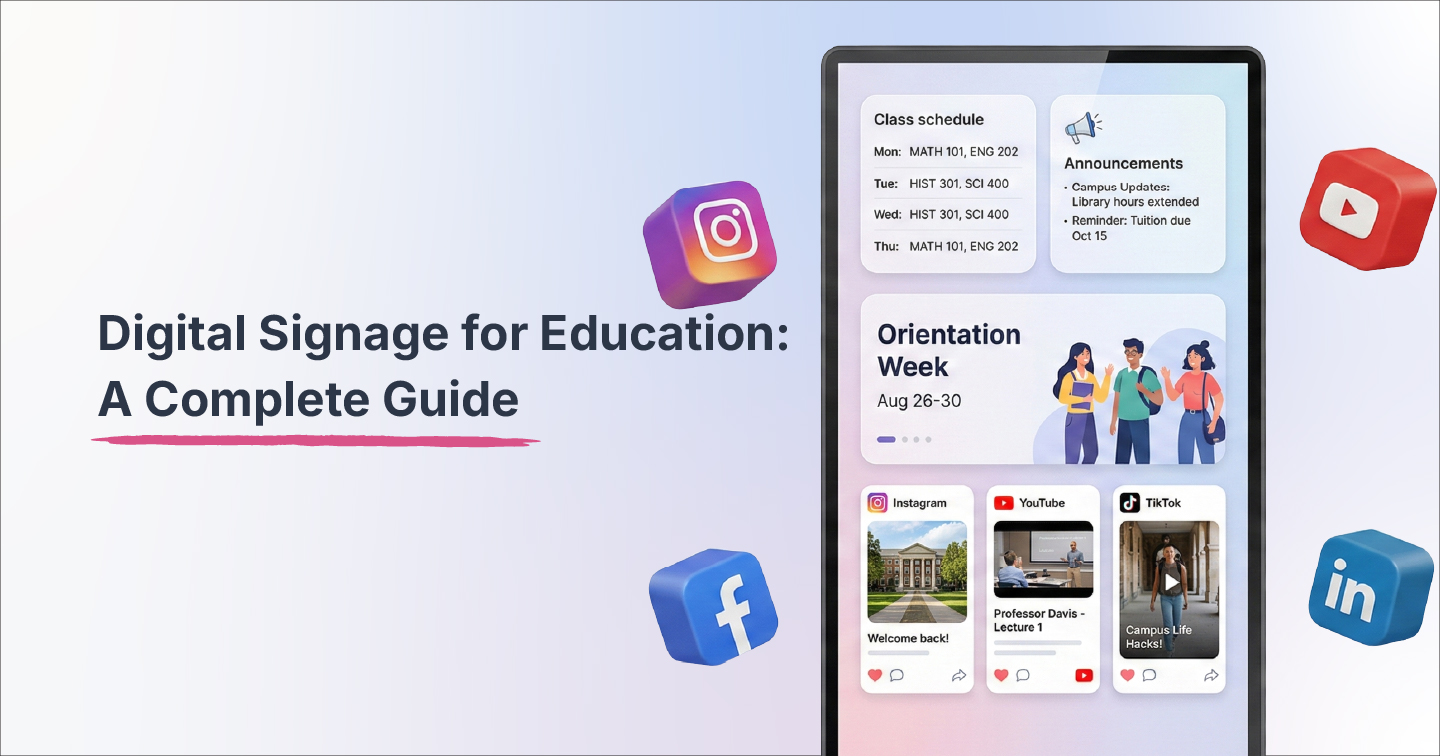
Using digital signage in education is a modern, dynamic way to inform students about what’s happening on their campuses. And with this modern alternative comes a big new advantage: It can integrate social media content from Instagram, Twitter, LinkedIn, and TikTok. This integration showcases real student voices and transforms institutional messaging into authentic conversations for truly community-driven campus displays.
We’ll explore why digital signage with social media integration matters for educational institutions, how to implement it effectively, and what critical factors to consider to maximize the impact while maintaining content safety and student privacy.

Benefits of integrating digital signage for education with UGC content
Higher educational institutions that implement digital signage experience measurable improvements across communication effectiveness, operational efficiency, and student engagement. Combine this with a dynamically updating social wall, and you get numerous benefits such as:
Builds authenticity and trust
Students trust peer voices over institutional messaging. Real posts from classmates celebrating achievements or documenting campus experiences dramatically increase credibility.
Encourages participation and fosters community
Featuring student content creates powerful incentives for engagement. Students actively post, knowing their content might be showcased, generating continuous fresh material. This visible evidence of vibrant campus life helps students feel part of something larger, particularly valuable for new students or those who struggle to feel they belong at the university.
Real-Time Communication
Digital signage supports instant broadcast of urgent messages, schedule changes, and campus announcements. Unlike printed materials that require physical replacement, digital displays with a dynamic feed update immediately from centralized dashboards. According to Wavetec, this real-time capability proves essential for dynamic educational environments where priorities shift constantly.
Automatically updating feeds eliminates the burden of daily content creation, keeping displays fresh while significantly reducing staff time.
Multimedia Engagement
Videos, animations, and social feeds reach students far more effectively than static posters. Integrating multiple social media platforms, such as Instagram, Twitter (X), LinkedIn, TikTok, and YouTube, into curated layouts represents the evolution of digital signage from a broadcast tool to a community engagement platform.
Cost Efficiency and Sustainability
Digital signage drives substantial savings while supporting sustainability goals. By eliminating paper, you significantly reduce printing costs. This benefit resonates with Gen-Z students who prioritize environmental responsibility.
How to make digital signage for education and add UGC content
Successful implementation requires strategic planning and systematic execution across multiple phases. Since we’ll use Flockler for this demonstration, sign up for our free 14-day trial now!
1. Audit Your Current Infrastructure
Identify existing screens throughout campus, document their locations and current usage, assess technical capabilities (resolution, connectivity, media player compatibility), and evaluate which displays serve high-traffic areas versus specialized zones. This audit reveals opportunities for immediate improvement and identifies gaps requiring new installations.
2. Define Your Content Strategy
Establish clear guidelines covering which social platforms you'll aggregate (Instagram for visual content, LinkedIn for professional achievements, Twitter for real-time updates, TikTok for creative student expression), moderation rules specifying what constitutes appropriate content, content cadence determining update frequency, and a balance between social media feeds, traditional announcements, emergency capabilities, and wayfinding.
Strategic content planning prevents common pitfalls, such as overwhelming viewers with too much information or creating displays that feel either too corporate or inappropriately casual.
3. Build and Curate Your Social Walls on the Flockler dashboard

Set up feeds from selected social sources using hashtags (e.g., #CampusLife2024, #StudentSuccess), specific accounts (official organizations, verified faculty), or curated lists combining multiple sources. Configure moderation workflows, create layouts tailored to different signage zones, and customize visual branding to align with the institutional identity.
Testing thoroughly before campus-wide deployment prevents embarrassing technical issues and ensures moderation workflows function as intended.
4. Choose the right layout options and customize

Once you’ve integrated the required social media feeds, you’ll now need to choose between different display types based on locations and objectives that require different visual approaches:
- Grid layouts organize content in structured, easy-to-scan formats ideal for high-traffic areas where viewers want quick information absorption.
- Wall/masonry layouts create dynamic, visually engaging displays where content sizes vary, drawing attention and encouraging longer viewing in common spaces like student lounges.
- Carousel layouts rotate through featured content, working well for smaller screens or locations where highlighting individual posts makes sense.
- Slideshow formats present content sequentially with transitions, useful for mixing social content with traditional announcements in administrative areas.
Choosing appropriate layouts for each display zone maximizes impact while ensuring content fits naturally into different campus environments.
5. Deploy Content to Appropriate Screens

Push your layouts to screens throughout campus by embedding them with your media player.
Ensure you test and experiment with the look and feel for different scenarios. For example, entrance screens can showcase achievements and welcome messages; cafeteria displays feature student life and event promotions; hallway screens cycle through announcements and deadlines; while administrative areas focus on internal communications.
Strategic placement ensures the right content reaches the right audiences at the right moments, maximizing relevance and engagement.
6. Set up a strict regulation mechanism

Since educational institutions require strict content control to ensure only appropriate, on-brand material appears on campus displays, the next step is to establish a content moderation committee.
This could be communications staff, faculty advisors, student leaders, and IT personnel, to moderate content, manage displays, and respond to issues.
Since manual moderation is a time-consuming and tedious process, Flockler provides multi-layered moderation, including Garde AI, which is an AI-assisted filtering that flags potentially problematic content automatically, keyword-based approval rules that auto-approve trusted sources, manual moderation queues where staff review posts before display, and instant removal capabilities for any content that shouldn't have appeared.
This moderation protects institutional reputation while showcasing authentic student voices, balancing engagement with responsibility.
Important use cases of digital signage for educational institutions
Understanding where digital signage with social integration delivers maximum value helps prioritize implementation:
Welcome and Orientation Screens
Feature social walls with student stories, club highlights, campus life snapshots, and welcome messages in entrance lobbies and orientation spaces. These displays create immediate positive impressions for prospective students, new enrollees, and visitors while showcasing authentic student experiences that marketing materials alone cannot convey.
Orientation screens can include interactive maps, building directories, and room finders that simplify navigation for new students, staff, and visitors.
Hallways and Common Spaces
Hallways are places of student buzz and are great for positive student engagement. You can cycle through school news, curated UGC, event reminders, deadline notifications, and social content in hallways, cafeterias, student unions, and common areas where students naturally congregate. This prime real estate captures attention during daily routines, ensuring important information reaches students organically.
✨See it in action:
Wasatch High School in Utah understands the importance of displaying social media and UGC content around schools to build engagement. By placing Flockler’s dynamic Instagram feed on campus displays such as TVs and digital boards, they were able to showcase the latest posts from the school and students. This helped build engagement and grow the sense of community.

Live Event Displays
During school events, open houses, athletic competitions, theatrical performances, and academic showcases, display live-tagged social media content or event-specific UGC. Encourage attendees to post with designated hashtags, then feature this real-time content on screens throughout venues. This creates participatory experiences in which attendees see themselves as part of the event narrative, increasing engagement and extending the event's impact through continued social sharing.
✨See it in action: Harvard University uses Flockler to pull in social media posts from Instagram, X, and other platforms and display them on their websites, campus TVs, and screens at events. Harvard built displays with different visually appealing layouts that matched their branding and easily switched content sources, such as different event hashtags, without losing past campaigns. This setup increases engagement with real, user-generated content, strengthens community spirit, and keeps audiences connected across digital and physical touchpoints.

Emergency and Safety Screens
Dedicate specific displays or override regular content for live safety alerts, evacuation instructions, lockdown procedures, or weather emergencies. Digital School Signs emphasizes that visual emergency messaging proves essential during high-stress situations where clear, immediate information saves lives and reduces panic.
💡Did you know: Adding UGC to your educational institutions can help with regulations and improve enrollment rates? Learn how Schudio did just that with Flockler over here.
Staff and Faculty Zones
Highlight professional development opportunities, staff achievements, internal communications, policy updates, and administrative information via digital signage in faculty lounges, administrative offices, and staff areas. This ensures faculty remain informed while creating a sense of institutional community beyond student-facing initiatives.
📕Also read: 8 examples of educational institutions using social media feeds
Overcoming Common Challenges in Digital Signage for Education
Anticipating obstacles and planning solutions ensures smoother implementation. Here are some common challenges you might run into while creating digital signage for education:
A note on using digital signage for schools
While implementing digital signal signage in schools, safety is paramount. Using trusted digital signage solutions for schools with stringent, automated moderation capabilities can go a long way toward ensuring student safety.
Make sure you have clear social media and privacy policies, and obtain the right student consent to ensure transparency and safety.
Read our full guide on how you can implement digital solutions for schools.
What to look for in digital signage solutions for education
Purpose-built social wall platforms like Flockler deliver capabilities specifically addressing educational institution needs:
Seamless Multi-Platform Aggregation: Pull user-generated content from Instagram, LinkedIn, Twitter, TikTok, Facebook, and YouTube into unified feeds or walls to capture authentic student voices regardless of which platforms they prefer, all in a single interface. What’s more, you can control multiple screens from a single dashboard!
Industry-leading Moderation Tools: Helps you curate only relevant, appropriate content before it appears on displays. With AI-assisted filtering flags potentially problematic posts, keyword-based rules automatically approve trusted sources.
Extensive customization options: Choose from grid, carousel, masonry wall, or slideshow layouts optimized specifically for digital signage displays and customize every detail to your brand’s liking.
Real-Time Automatic Updates: Content refreshes automatically as new posts appear on connected social channels, eliminating the need for manual uploads.
Comprehensive Analytics and Reporting: Track which posts are displayed most frequently, how the content mix evolves, which sources provide the most valuable material, and overall engagement patterns to maximize ROI.
Want to experience firsthand how easy it is to create engaging social walls for your school's digital signage? Sign up for a free 14-day trial – no credit card required.
FAQs
How do we ensure only appropriate content appears on educational displays?
Flockler provides multi-layered moderation, including AI-assisted filtering that automatically flags potentially problematic content, keyword-based rules that auto-approve trusted sources, manual moderation queues where staff review posts before display, and instant removal capabilities for any content that shouldn't have appeared.
What happens if a student posts inappropriate content with our campus hashtag?
Content doesn't appear automatically. All posts enter moderation queues where designated staff review them before approval. Even if content is initially approved, moderators can instantly hide it from all screens with one click, and you can block specific users from appearing in future feeds.
Can you display different content on screens at specific campus locations?
Yes. Flockler lets you create multiple feeds with different content sources and visual layouts, then assign feeds to specific screens or screen groups. Your entrance displays might showcase achievements, while cafeteria screens feature student life content, and hallway displays focus on announcements.
How much does digital signage with social media integration cost?
Costs vary based on existing infrastructure. If you already have displays and media players, Flockler's platform starts at affordable monthly rates based on screen count and features. Many institutions offset costs through reduced printing expenses, and some qualify for educational technology grants or sustainability funding.
Can we override regular content for emergency alerts?
Absolutely. Flockler provides emergency override functionality that instantly pushes critical messages to all displays, replacing regular content with safety alerts, evacuation instructions, or urgent announcements. This capability integrates with existing emergency notification systems for comprehensive campus safety communication.
A true growth operator with extensive experience across crowdsourcing, affiliate programs, and social media aggregation. Brooke is the CEO if Flockler and cofounder of the marketing agency Northweather and has worked with global brands including LEGO. With international experience spanning SaaS, marketing, and product, she brings sharp expertise in strategy, execution, and driving results through global cross-functional teams.
Social infrastructure that scales with you.
Start your free trial, or let us show you the platform in action.



