April 4, 2024
Social Media Marketing for Universities: 10 Strategies That Actually Work
X minute read

Social infrastructure that scales with you.
Start your free trial, or let us show you the platform in action.
Higher education is facing a genuine enrollment challenge. By 2041, the US is projected to have 13% fewer 18-year-olds than it does today, and institutions are already competing harder for a shrinking pool of students. At the same time, nearly three-quarters of prospective students spend over two hours a day on social media, and that's where decisions about which universities even make the shortlist are being shaped.
Social media marketing for universities is no longer a supplementary communications channel. It's where prospective students assess fit, culture, and belonging before they ever visit a campus or fill out an application.
Here are ten strategies that work, including how Flockler's tools help universities put them into practice.
1. Create Audience-Specific Content for Each Platform
University social media audiences are not one group. Prospective students, current students, parents, alumni, faculty, and donors all use social media differently and for different reasons. A post that connects with a 17-year-old researching campus life will not land the same way with a parent comparing tuition costs or an alumnus catching up on university news.
The starting point is identifying which audience you're speaking to on each platform, and tailoring the content accordingly:
- Instagram and TikTok: Prospective and current students. Visual content showcasing campus life, student experiences, events, and culture performs well here.
- YouTube: Virtual campus tours, student testimonials, faculty interviews, and longer-form storytelling that prospective students and parents both engage with.
- LinkedIn: Alumni achievements, faculty research, partnership announcements, and career outcomes. The right channel for reaching graduates and professional audiences.
- Facebook: Parents, alumni, and local community. Event updates, news, and longer posts work here where they might not on Instagram.
- X (formerly Twitter): Live updates, event coverage, and faculty or alumni AMAs.
Knowing your audience per platform also helps with content scheduling. Parents checking LinkedIn on a weekday morning need a different post than students browsing TikTok on a Sunday evening.

2. Embed Live Social Media Feeds on Your University Website
Your website is usually the first formal stop a prospective student makes after discovering your university on social media. The challenge is that websites can feel static compared to the live, real-time content students are used to seeing on their feeds.
Embedding live social media feeds on your website bridges that gap. Instead of a crafted version of campus life written by a marketing team, visitors see what students, staff, and alumni are actually posting, which carries more authenticity and keeps the page fresh without any manual updates.
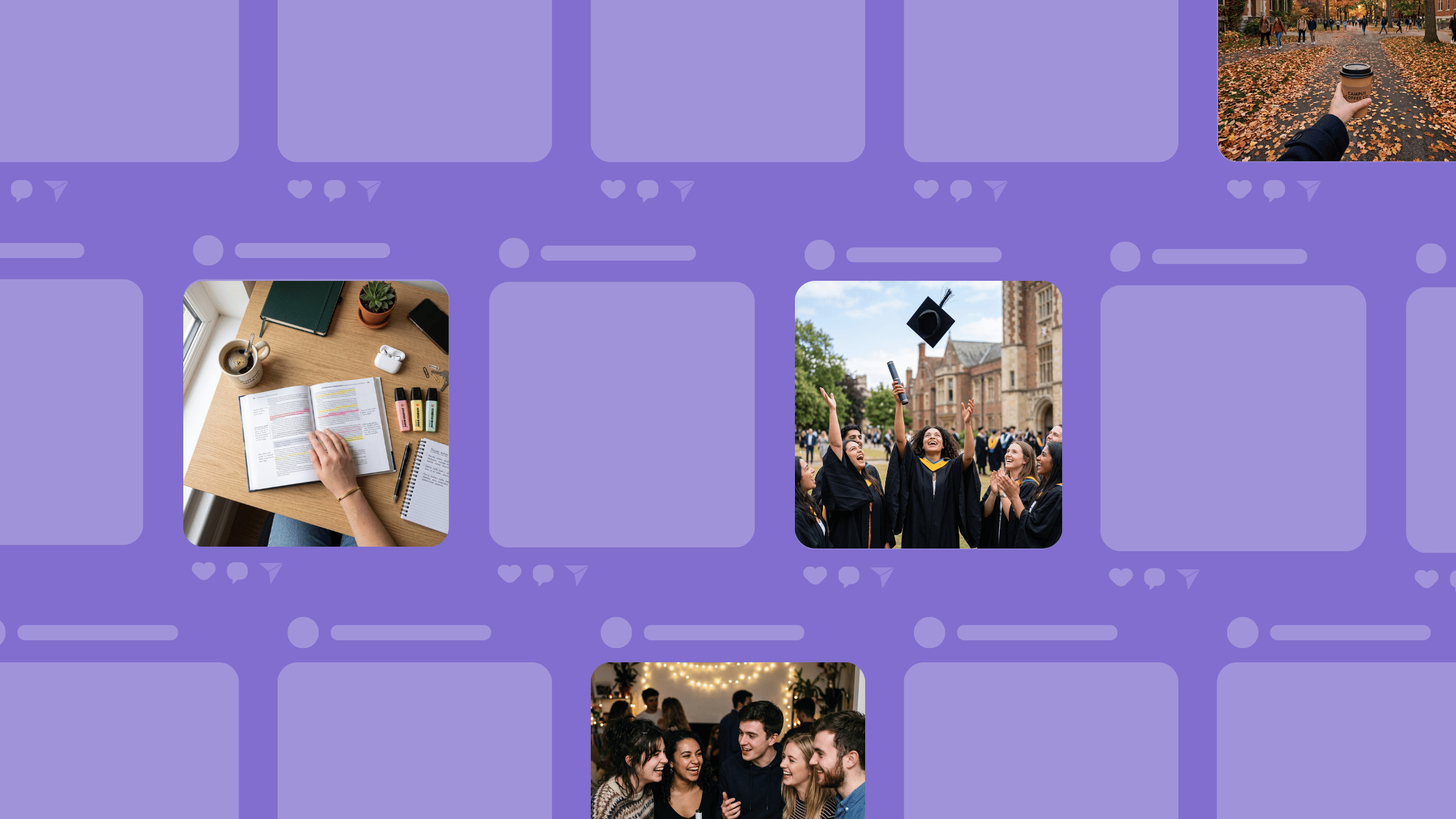
With Flockler, universities can aggregate content from Instagram, TikTok, X, YouTube, Facebook, and more, and display it in a social wall, grid, carousel, or slideshow on any page of the university website. Content updates automatically as new posts come in, so the website always reflects what's happening right now.
Functional uses for universities:
- Homepage: A social wall that aggregates content from official university accounts across platforms gives visitors an immediate sense of campus life and community.
- Admissions pages: An Instagram or TikTok feed showing current student experiences helps prospective students visualize themselves on campus.
- Department pages: Department-specific hashtag feeds show relevant, topic-specific student and faculty content without pulling in unrelated posts.
- Events pages: A live hashtag feed on an event page shows the community building around upcoming graduations, open days, or sports fixtures before, during, and after the event.

With Flockler's content moderation tools, including Garde AI, universities can automatically filter content before it appears on the website, ensuring only appropriate, on-brand posts are displayed. For hashtag feeds in particular, where anyone can post, moderation is essential.
For more on how universities use embedded social feeds, see our guide on social media feeds for schools and universities.
3. Use Short-Form Video to Show Campus Life Authentically
According to Pew Research, American teens visit YouTube and TikTok almost constantly. Prospective students spend the most time on short-form video, and it's the format they trust most for an unfiltered look at what a university is actually like.
A 60-second video of a student walking through campus, talking honestly about their first year, or showing what a typical Tuesday looks like matters more than any brochure or email campaign. The format fits how this audience already consumes content, and it performs well with platform algorithms.
Video ideas that work well for universities:
- A day in the life of a student in a specific program
- Acceptance reaction videos from incoming students
- Behind-the-scenes of campus events, sports days, and traditions
- Faculty interviews showcasing teaching style and research
- Virtual campus tours optimized for mobile
- Student Q&A sessions on Instagram Stories or TikTok Live
Once produced, you can aggregate and display short-form video content on your website using Flockler. An embedded YouTube or TikTok feed keeps the page current with the latest video content without manual updates from the web team.

4. Run Hashtag Campaigns to Generate Student Content
A branded hashtag gives students a reason to post about your university, and gives your marketing team a steady stream of authentic content to aggregate and use. When students see their own posts appearing on university screens or web pages, participation grows further.
A hashtag campaign works best when it has a clear purpose: a specific event, an annual tradition, a program milestone, or a cause the student community cares about. Generic hashtags generate less engagement than ones tied to something students are already experiencing or proud of.
Campaign ideas that have worked well for universities:
- #[University]ClassOf[Year] for incoming and graduating cohorts
- #[University]Research for showcasing student and faculty projects
- #MyBestCampusMoment or #WhyI[UniversityName] for general culture content
- Event-specific hashtags tied to open days, sports fixtures, or graduation
With Flockler, you can collect all posts using your branded hashtag across Instagram, X, TikTok, and more, then display them in a social wall on your website or on digital screens at the event itself. The hashtag contest guide covers how to set these up end to end.

Use Flockler's free hashtag generator to generate hashtag ideas specific to your university.
5. Build an Alumni Story Program
For a prospective student weighing whether to apply, the most credible information comes from people who made the same decision and made it work. Graduate success stories answer the question every applicant is really asking: what can this university actually do for me?
Alumni content doesn't have to be polished or produced. A short video interview, a written Q&A, or a social post featuring a graduate's career milestone all contribute to the story. The key is consistency: making alumni stories a regular feature rather than a one-off campaign.
Ways to distribute alumni content:
- Dedicated alumni hashtag feeds embedded on department or program pages
- Regular LinkedIn posts spotlighting graduate achievements
- A YouTube series of alumni interviews organized by career path or program
- X posts from an official alumni account aggregated into a social wall on the website
With Flockler, you can aggregate alumni content from across platforms: posts tagged with your university's hashtag, mentions of your official accounts, or content from a dedicated alumni social channel. Display it on the pages where it's most relevant to prospective students considering that program.

6. Optimize Social Profiles for Discoverability
Most Gen Z students use social media as a search engine when researching universities. They search hashtags, explore location tags, and check profile bios before visiting an official website. If your social profiles are not optimized for that kind of discovery, you're missing the top of the funnel entirely.
Social media SEO for universities involves:
- Including relevant keywords and program names in bios and profile descriptions
- Using consistent, searchable hashtags in posts across platforms
- Geotags on campus content so posts appear in location searches
- Descriptive alt text on images for both accessibility and searchability
- Posting consistently, since algorithmic visibility is partly driven by posting frequency and engagement rates
Across each platform, the goal is the same: make it easy for a student who has never heard of your university to find your content when they're searching for something relevant to their interests or their next steps.
7. Display Social Feeds on Digital Screens Across Campus
Social media marketing for universities doesn't stop at the website. Digital screens across campus, in lobbies, student unions, sports centers, libraries, and lecture halls, are high-traffic surfaces that most universities underuse.
A live social feed on a campus screen gives social content a physical presence and encourages engagement. When students see posts with the university's hashtag appearing on the screen in the student union, they're more likely to post themselves. It also keeps the screens current without any manual content updates from the communications team.
With Flockler, you can display the same feed you embed on your website on campus digital screens via a browser URL. The Slideshow layout is designed for exactly this use case: it cycles through posts automatically and is legible from a distance.
Common use cases for university digital screen feeds:
- Student union and common areas: A general social wall showing student life content from across the university's social channels
- Sports facilities: A live feed from the athletics department's social accounts or a team-specific hashtag
- Events and graduation ceremonies: A real-time hashtag feed showing posts from attendees as the event unfolds
- Welcome and open days: A curated feed of campus life content shown to prospective students and their parents during campus visits
8. Organize Student Social Media Takeovers
A student takeover gives an individual student partial control of the university's social media account for a day or a week to document their experience authentically. The content tends to feel less polished and more honest than university-produced posts, which is exactly why it performs well with prospective students.
Takeovers work best when they're organized around something specific: a sports event, a study abroad program, a departmental week, or a freshers' week activity. Give the student a brief and a set of simple guidelines, then let them post naturally.
Content that typically comes from student takeovers:
- A day in the life of a specific program or year group
- Behind-the-scenes of a sporting event or competition
- Moving-in day or freshers' week experiences
- Life on a study abroad program
With Flockler, posts from student takeovers can be aggregated using the student's tagged posts or a specific hashtag and displayed on the website or on campus screens. Moderation settings let your communications team review content before it goes live, so the takeover stays on-brand without being over-managed.

9. Use Social Media Advertising to Reach Prospective Students
Organic social content builds awareness and community over time. Paid social advertising accelerates that reach, putting your university in front of students who are actively considering higher education but haven't yet discovered your institution.
Social media ads for universities work best when they target the right moment in the student's decision-making process. Reaching students during the "imagination phase," when they're building a list of universities they'd consider, is more effective than waiting until the application season and competing on yield.
Platform-specific considerations:
- Instagram and TikTok: Visual ads featuring real students and campus life. Short video ads that feel native to the feed outperform static images with this audience.
- Facebook: Works better for targeting parents and older alumni. Longer-form content and event promotion perform well.
- YouTube: Pre-roll ads with authentic student video content can effectively reach students already watching higher education content.
- LinkedIn: Effective for postgraduate program promotion where the audience is already professionally oriented.
Track performance using each platform's native analytics and, for more advanced cross-channel insight, Flockler's social media analytics add-on provides a consolidated view of how your content is performing.
10. Build a Student Ambassador Program
A student ambassador program creates a network of students who generate content, answer prospective students’ questions, and represent the university across their own social channels. It's one of the most scalable ways to produce authentic social content at volume.
You can organize ambassadors by program, year group, interests, or geographic region (particularly useful for international student recruitment). They create content from their own perspective and share it with their own audiences, extending the university's reach far beyond its official account following.
What student ambassadors typically produce:
- TikToks and Instagram Reels about their program and campus experience
- YouTube vlogs covering events, days in the life, and study tips
- Live Q&A sessions for prospective students on Instagram Stories or Reddit
- Posts using the university's branded hashtag that can be aggregated and repurposed
With Flockler, you can collect all content posted by ambassadors using a shared hashtag or by aggregating tagged posts, and display it on the website or on campus screens. The UGC rights management tool lets you request permission from ambassadors to use their content in wider marketing materials, which is worth building into your program from the start.

Bringing It Together with Flockler
Each of these strategies generates social content. The challenge for most university marketing teams is collecting that content, keeping it current, and displaying it in the right place at the right time without adding to an already stretched workload.
Flockler is built for exactly that. It aggregates social content from across platforms and student sources, lets you moderate it with AI-powered filtering or manual approval, and displays it anywhere: your website, digital screens, or events, in a layout that fits your institution's brand.
Universities using Flockler can:
- Pull content from official accounts, branded hashtags, student ambassadors, and alumni into one place
- Display live social feeds on any page of the university website without developer involvement
- Show real-time hashtag walls on campus screens and at events
- Moderate content automatically using Garde AI before it goes public
- Track performance with the social media analytics add-on
Start a free 14-day trial and see how Flockler fits into your university's social media strategy. No credit card required.
FAQs
Which social media platforms should universities focus on?
It depends on the audience. Instagram and TikTok are the primary channels for reaching prospective students. YouTube works well for longer-form content that both students and parents engage with. LinkedIn is most effective for alumni, faculty, and postgraduate audiences. Facebook remains useful for reaching parents and local communities.
How can universities measure social media performance?
Most platforms deliver native analytics covering reach, impressions, engagement, and follower growth. For a consolidated view across channels, Flockler's social media analytics add-on brings performance data from multiple platforms into one place, which is useful when reporting across a team or to leadership.
Is social media marketing cost-effective for universities?
Organic social media is one of the most cost-effective marketing channels, especially when students generate content through hashtag campaigns and ambassador programs. Paid social advertising adds cost but increases reach and targeting precision. Combining organic UGC with targeted paid campaigns typically delivers the best return for university marketing budgets.
How does Flockler help with social media marketing for universities?
Flockler aggregates social content from Instagram, TikTok, X, YouTube, Facebook, LinkedIn, Bluesky, and more, and displays it on your website, digital screens, or at events. It includes content moderation (manual, auto-publish, and Garde AI), UGC rights management, and a social media analytics add-on. See the higher education page to learn more about how universities use Flockler.
Ready to put your university's social content to work across your website and campus? Start a free 14-day trial with Flockler.
A true growth operator with extensive experience across crowdsourcing, affiliate programs, and social media aggregation. Brooke is the CEO if Flockler and cofounder of the marketing agency Northweather and has worked with global brands including LEGO. With international experience spanning SaaS, marketing, and product, she brings sharp expertise in strategy, execution, and driving results through global cross-functional teams.
Social infrastructure that scales with you.
Start your free trial, or let us show you the platform in action.